
Match the loader first: Fabric, Forge, NeoForge, and Quilt mods do not always work together.
Minecraft content hub
Minecraft Mods
Find Minecraft mods for Fabric, Forge, NeoForge, Quilt, survival, performance, world generation, building, multiplayer, mobs, and utilities with official source links.
Use this page to narrow your Minecraft search.
Minecraft Mods pages are focused side entrances into the library. They help players understand what to look for, then send them into filtered Browse results, official source pages, and related guides without cluttering the main navigation.
Check dependencies like Fabric API, Cloth Config, Architectury, GeckoLib, and Mod Menu before launching.
Test new gameplay mods in a separate profile before opening an important survival world.
Featured results
Popular indexed projects for this topic.
These are static examples from the current library. Open Browse for the latest dynamic results, sorting, and filters.

⬢
Fabric API
Lightweight and modular API providing common hooks and intercompatibility measures utilized by mods using the Fabric toolchain.
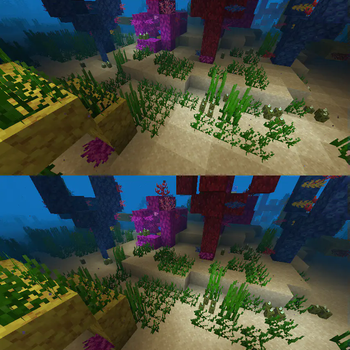
⬢
Sodium
A high-performance rendering engine replacement for Minecraft, which greatly improves frame rates and reduces micro-stutter.

⬢
Iris Shaders
A modern shader pack loader for Minecraft intended to be compatible with existing OptiFine shader packs

⬢
Cloth Config API
Configuration Library for Minecraft Mods

⬢
Entity Culling
Using async path-tracing to hide Block-/Entities that are not visible

⬢
FerriteCore
Memory usage optimizations
How to use this page
Choose a shortcut above or open Browse with filters already pointed toward this topic. Then refine by Minecraft version, loader, source, category, side support, popularity, and update date. Downloads should remain on official project or creator pages whenever possible.
- Check the exact Minecraft version before downloading.
- Match the correct loader or install location before launching.
- Back up worlds before adding projects that change gameplay, world generation, inventories, recipes, mobs, loot, structures, dimensions, or server data.
- Use report links if a source, image, creator credit, or project detail looks wrong.
Related guides
Useful setup help
Find the Minecraft game folder
Locate saves, mods, resourcepacks, shaderpacks, screenshots, and logs on your computer.
Beginner BasicsChoose Fabric, Forge, NeoForge, Quilt, or vanilla
Pick the right platform based on the mods you want and the Minecraft version you play.
Storage & BackupsBack up Minecraft worlds
Protect important saves before installing mods, maps, datapacks, or new versions.
Quick questions about minecraft mods
Are these downloads hosted by FreeMinecraftMods?
No. Project cards point to official source pages when possible. The site is built around discovery, creator credit, and safer source visibility instead of hidden mirrors.
What should I check before downloading?
Check the Minecraft version, loader, dependencies, update date, source platform, and whether the project is client-side, server-side, or required on both sides.
Why use this page instead of only using Browse?
This page explains the category and gives fast shortcuts. Browse is still the best place to filter the full library by version, loader, category, popularity, update date, and source.
Related discovery pages
Live cross-source picks
Popular Minecraft mods
These cards pull from multiple source adapters where available, then send visitors to official project pages.
Editor-selected starting points
Projects worth comparing before you choose
These are not universal rankings. They were selected because each one represents a different use case, installation consideration, or compatibility question within this category.
⬢
Fabric API
Lightweight and modular API used by many Fabric mods.
Why it is here: A common dependency that explains why loader APIs must be checked before installing gameplay mods.

⬢
Sodium
Fast rendering optimization mod for Minecraft clients.
Why it is here: A major performance project and a useful example of a client-side mod with loader-specific files.

⬢
Jade
Shows information about what you are looking at. (Hwyla/Waila fork for Minecraft 1.16+)
Why it is here: Adds contextual information about blocks and entities without changing core progression.

⬢
Simple Voice Chat
A working voice chat in Minecraft!
Why it is here: Adds proximity voice features and requires both client/server planning for multiplayer use.

⬢
Terralith
Explore almost 100 new biomes consisting of both realism and light fantasy, using just Vanilla blocks. Complete with several immersive structures to compliment the overhauled terrain.
Why it is here: Changes world generation and therefore deserves extra care before adding it to an existing save.

⬢
Xaero's Minimap
Displays a map of the nearby world terrain, players, mobs, entities in the corner of your screen. Lets you create waypoints which help you find the locations you've marked.
Why it is here: Adds navigation and waypoints, demonstrating the quality-of-life category of client mods.
How these projects were selected
The list favors projects with a clear official source, recognizable purpose, useful compatibility information, and enough detail for a player to understand why it belongs in this category. Popularity is one signal, but it is not the only one: lighter alternatives, dependencies, server tools, and focused visual packs can be more useful than the largest download total for a particular setup.
Always confirm the exact Minecraft version, loader, dependencies, and release notes on the official project page before installing. For world-generation projects, make a backup and test in a copied world first.
Selection guidance
How to choose from this Minecraft Mods page
This hub is built to help players compare Minecraft Mods by purpose, loader, version, source quality, and setup risk instead of landing on a thin list of project names.
Useful comparison angles: utility, game mechanics, adventure. These labels are discovery hints, not a substitute for the creator's current file notes.
What to verify first
- Match the exact Minecraft version before downloading.
- Confirm the loader or platform, especially when choosing between Fabric, Forge, NeoForge, Quilt, or server-side tools.
- Read dependencies, incompatibilities, and changelog notes on the official source page.
- Back up important worlds before adding projects that change gameplay, world generation, inventories, recipes, mobs, storage, or server data.
Recommended workflow
Create a separate test profile, add one project or dependency group at a time, and keep notes when a change affects performance, world data, or multiplayer compatibility.
FreeMinecraftMods keeps download actions pointed at official source pages so visitors can review the latest files, license, dependencies, and support notes before installing.
Related paths: Fabric mods | Forge mods | NeoForge mods | Performance mods | Survival mods
Decision guides
Read these before installing projects from this page
Use the category list as a shortlist, then verify the setup with original guides that explain versions, loaders, dependencies, backups, source checks, and troubleshooting.