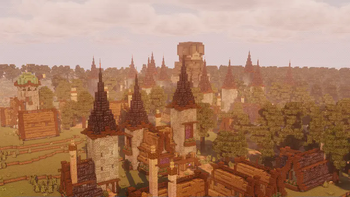
Focused Minecraft discovery
Minecraft Building and Architecture Mods
Find building mods, architecture tools, decoration mods, and block-detail projects.
What this page helps you find
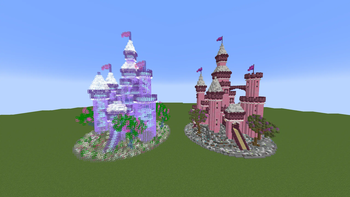
This page groups related Minecraft content instead of targeting one single project name. Use it to explore building blocks, architecture, decoration, furniture, structural details, creative tools, and survival-friendly building helpers.
Search the library with these filters
Start broad, then narrow by Minecraft version, loader, source, freshness, and popularity. Project pages should open official source listings rather than hidden mirrors.
Quick tips
How should I choose projects from this category?
Match the Minecraft version first, then check the loader, dependencies, update date, and whether the project is client-side, server-side, or both.
Are files hosted here?
No. FreeMinecraftMods is designed as a discovery site that links to official project pages and keeps source labels visible.
How to use this page
Start with the project examples above, then open Browse to narrow by version, loader, update date, source, and popularity. This keeps the landing page useful for search visitors without turning it into a single-keyword doorway page.
Live cross-source picks
Useful building and architecture mods
These cards pull from multiple source adapters where available, then send visitors to official project pages.
Practical selection notes
What to check before using Minecraft building and architecture mods
Use this page to compare block palettes, construction tools, structural helpers, furniture, shape libraries, and creative planning utilities.
Compare these details
- Building mods can be simple block sets, full construction systems, schematic helpers, or world-editing tools.
- Projects that add blocks become part of the world save and need a careful update plan.
- Creative tools may not be appropriate for survival servers unless permissions are configured clearly.
- Resource-pack style affects whether new blocks blend with vanilla, fantasy, modern, or realistic builds.
Safer testing workflow
A building hub should help players choose for the project they are building. Visual fit, world safety, and permissions are as important as the block count.
- Test a small build palette before committing a large base or server spawn.
- Back up worlds before removing block-adding mods or changing major versions.
- Review permissions for placement tools, copy tools, or server-side building helpers.
FreeMinecraftMods keeps these pages pointed at official sources. Use the page as a decision aid, then confirm the current file, changelog, dependencies, license, and creator notes before installing anything in a real world or server.
Before choosing from this page, write down the target Minecraft version, loader or platform, whether the change belongs on the client, server, or both, and what failure would make you roll it back. That small checklist turns discovery into a safer installation plan.
Useful next pages: Browse | Content directory | Review method