
World generation mods should be installed before creating a new world.
Minecraft content hub
Minecraft World Generation Mods
Find Minecraft world generation mods for biomes, caves, structures, terrain, dimensions, exploration, and long-term survival worlds.
Use this page to narrow your Minecraft search.
Minecraft World Generation Mods pages are focused side entrances into the library. They help players understand what to look for, then send them into filtered Browse results, official source pages, and related guides without cluttering the main navigation.
Removing worldgen mods later can leave missing blocks, broken terrain, or odd chunk borders.
Use seeds and backups when testing worldgen-heavy mod lists.
Featured results
Popular indexed projects for this topic.
These are static examples from the current library. Open Browse for the latest dynamic results, sorting, and filters.
⬢
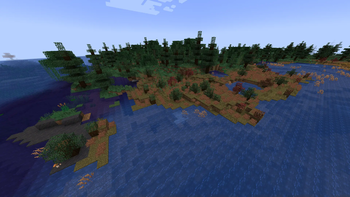
Biomes O' Plenty
Adds 50+ unique biomes to enhance your world, with new trees, flowers, and more!
⬢
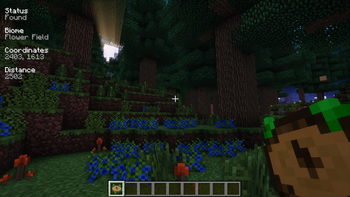
Nature's Compass
Allows you to locate biomes anywhere in the world.
⬢
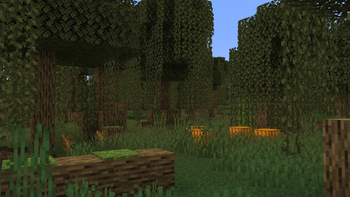
Geophilic
A subtle-ish overhaul of vanilla Overworld biomes! Reworked!
⬢
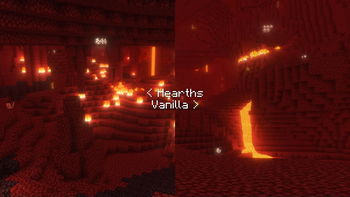
Hearths
A handful of additions to vanilla Nether biomes
⬢
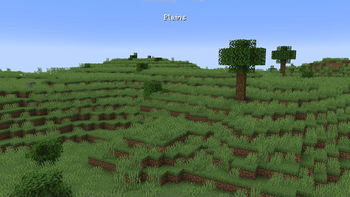
Geophilic Reforged
A subtle overhaul of vanilla and mod Overworld biomes

⬢
Unnamed Desert
Additional structures for the desert and badlands biomes, focusing on an immersive expansion for the vanilla game.
How to use this page
Choose a shortcut above or open Browse with filters already pointed toward this topic. Then refine by Minecraft version, loader, source, category, side support, popularity, and update date. Downloads should remain on official project or creator pages whenever possible.
- Check the exact Minecraft version before downloading.
- Match the correct loader or install location before launching.
- Back up worlds before adding projects that change gameplay, world generation, inventories, recipes, mobs, loot, structures, dimensions, or server data.
- Use report links if a source, image, creator credit, or project detail looks wrong.
Related guides
Useful setup help
Use worldgen mods in existing worlds
Understand why new biomes and structures only appear in unexplored chunks.
Storage & BackupsBack up Minecraft worlds
Protect important saves before installing mods, maps, datapacks, or new versions.
ModsInstall Fabric mods safely
Set up Fabric Loader, add Fabric API when needed, and test mods without risking your main worlds.
Quick questions about minecraft world generation mods
Are these downloads hosted by FreeMinecraftMods?
No. Project cards point to official source pages when possible. The site is built around discovery, creator credit, and safer source visibility instead of hidden mirrors.
What should I check before downloading?
Check the Minecraft version, loader, dependencies, update date, source platform, and whether the project is client-side, server-side, or required on both sides.
Why use this page instead of only using Browse?
This page explains the category and gives fast shortcuts. Browse is still the best place to filter the full library by version, loader, category, popularity, update date, and source.
Related discovery pages
Live cross-source picks
Featured world generation mods
These cards pull from multiple source adapters where available, then send visitors to official project pages.
Selection guidance
How to choose from this Minecraft World Generation Mods page
This hub is built to help players compare Minecraft World Generation Mods by purpose, loader, version, source quality, and setup risk instead of landing on a thin list of project names.
Useful comparison angles: worldgen, adventure, biomes. These labels are discovery hints, not a substitute for the creator's current file notes.
What to verify first
- Match the exact Minecraft version before downloading.
- Confirm the loader or platform, especially when choosing between Fabric, Forge, NeoForge, Quilt, or server-side tools.
- Read dependencies, incompatibilities, and changelog notes on the official source page.
- Back up important worlds before adding projects that change gameplay, world generation, inventories, recipes, mobs, storage, or server data.
Recommended workflow
Create a separate test profile, add one project or dependency group at a time, and keep notes when a change affects performance, world data, or multiplayer compatibility.
FreeMinecraftMods keeps download actions pointed at official source pages so visitors can review the latest files, license, dependencies, and support notes before installing.
Related paths: Survival mods | Minecraft maps | Datapacks | Browse worldgen mods
Decision guides
Read these before installing projects from this page
Use the category list as a shortlist, then verify the setup with original guides that explain versions, loaders, dependencies, backups, source checks, and troubleshooting.