
Modpacks bundle many projects, so use a launcher profile or instance instead of mixing them into your main folder.
Minecraft content hub
Minecraft Modpacks
Discover Minecraft modpacks for survival, tech, exploration, performance, multiplayer, building, and ready-to-play themed experiences.
Use this page to narrow your Minecraft search.
Minecraft Modpacks pages are focused side entrances into the library. They help players understand what to look for, then send them into filtered Browse results, official source pages, and related guides without cluttering the main navigation.
Check RAM recommendations before launching a large pack.
For custom packs, build gradually and test after each major group of mods.
Featured results
Popular indexed projects for this topic.
These are static examples from the current library. Open Browse for the latest dynamic results, sorting, and filters.
⬢
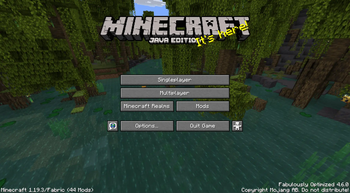
Fabulously Optimized
Beautiful graphics, speedy performance and familiar features in a simple package. Tiny Takeover!

⬢
Zombie Invade 100 Days
僵尸入侵 100 天(高版本惊变重制)—— Same as Forge Labs 100 Days Zombie Apocalypse in new Minecraft
![Cobblemon Official Modpack [Fabric] preview](https://cdn.modrinth.com/data/5FFgwNNP/images/b35c1c743230736b7f1a658681b9e2474551d3de_350.webp)
⬢
Cobblemon Official Modpack [Fabric]
The official modpack of the Cobblemon mod, for Fabric!
![COBBLEVERSE - Pokemon Adventure [Cobblemon] preview](https://cdn.modrinth.com/data/Jkb29YJU/images/ce5388f2e850f2d203fc18c0981bfd3cb5a48025_350.webp)
⬢
COBBLEVERSE - Pokemon Adventure [Cobblemon]
Start a true Pokémon adventure in Minecraft: Cobblemon 1.7.3 | ALL 1025 Pokémon! | Mega Evolutions | Gyms & Badges | Starter Kit | Unique Structures | Custom Music | Shaders | Optimized | So much more! [1.21.1]
![Better MC [FABRIC] - BMC2 preview](https://cdn.modrinth.com/data/shFhR8Vx/a19c2bcb51d38f32f138d3607e91cb2b7b8e387f_96.webp)
⬢
Better MC [FABRIC] - BMC2
Version 1.20 | A Proper Vanilla+ Modpack | Don't play Vanilla play this!

⬢
The Pixelmon Modpack
This Modpack includes everything you need as a pre-built Pixelmon exerience - The Pixelmon Mod, The Pixelmon OST, Journeymap, BYG, Natures/Explorers Compass.
How to use this page
Choose a shortcut above or open Browse with filters already pointed toward this topic. Then refine by Minecraft version, loader, source, category, side support, popularity, and update date. Downloads should remain on official project or creator pages whenever possible.
- Check the exact Minecraft version before downloading.
- Match the correct loader or install location before launching.
- Back up worlds before adding projects that change gameplay, world generation, inventories, recipes, mobs, loot, structures, dimensions, or server data.
- Use report links if a source, image, creator credit, or project detail looks wrong.
Related guides
Useful setup help
Allocate RAM to a modpack
Give Minecraft enough memory without starving the rest of your computer.
ServersInstall a modpack server
Use official server files and keep client/server mod lists compatible.
ModpacksInstall modpacks without breaking dependencies
Use launcher imports, allocate enough RAM, and keep pack files matched.
Quick questions about minecraft modpacks
Are these downloads hosted by FreeMinecraftMods?
No. Project cards point to official source pages when possible. The site is built around discovery, creator credit, and safer source visibility instead of hidden mirrors.
What should I check before downloading?
Check the Minecraft version, loader, dependencies, update date, source platform, and whether the project is client-side, server-side, or required on both sides.
Why use this page instead of only using Browse?
This page explains the category and gives fast shortcuts. Browse is still the best place to filter the full library by version, loader, category, popularity, update date, and source.
Related discovery pages
Live cross-source picks
Popular modpacks
These cards pull from multiple source adapters where available, then send visitors to official project pages.
Selection guidance
How to choose from this Minecraft Modpacks page
Modpack pages should explain theme, launcher format, version, loader, project count, and update risk so Minecraft Modpacks visitors can choose a pack without mixing files into the wrong instance.
Useful comparison angles: adventure, multiplayer, optimization. These labels are discovery hints, not a substitute for the creator's current file notes.
What to verify first
- Use the launcher or manifest format recommended by the creator.
- Create a separate instance instead of merging a pack into an existing mod folder.
- Back up worlds before updating the pack or changing major dependency versions.
- Check whether server files, client-only mods, or optional resource packs are included separately.
Recommended workflow
Install the pack cleanly, launch once without old saves, then copy worlds only after confirming the menu, mod list, and configs look correct.
FreeMinecraftMods keeps download actions pointed at official source pages so visitors can review the latest files, license, dependencies, and support notes before installing.
Related paths: Community modpacks | Modpack Builder | Survival modpacks | Browse modpacks
Decision guides
Read these before installing projects from this page
Use the category list as a shortlist, then verify the setup with original guides that explain versions, loaders, dependencies, backups, source checks, and troubleshooting.