
Minecraft 1.21 has many patch versions, so verify the exact supported version before installing.
Minecraft content hub
Minecraft 1.21 Mods
Find Minecraft 1.21 mods for Fabric, Forge, NeoForge, performance, survival, building, world generation, and multiplayer setups.
Use this page to narrow your Minecraft search.
Minecraft 1.21 Mods pages are focused side entrances into the library. They help players understand what to look for, then send them into filtered Browse results, official source pages, and related guides without cluttering the main navigation.
Use Browse filters to combine version and loader instead of relying on a page title alone.
Back up worlds before updating a modded 1.21 instance.
Featured results
Popular indexed projects for this topic.
These are static examples from the current library. Open Browse for the latest dynamic results, sorting, and filters.
![[EMF] Entity Model Features preview](https://cdn.modrinth.com/data/4I1XuqiY/images/69d651ffa86efcf74848fb71801186de9b8ab4c8_350.webp)
⬢
[EMF] Entity Model Features
EMF is an, OptiFine format, Custom Entity Model replacement mod available for Fabric and Forge.

⬢
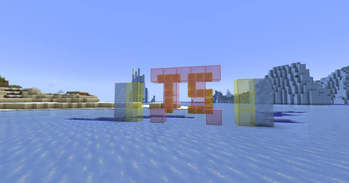
Forge Config API Port
NeoForge's & Forge's config systems provided to other modding ecosystems. Designed for a multiloader architecture.
⬢
Embeddium
A powerful, mod-friendly, FOSS client performance mod for NeoForge

⬢
Common Network
Forge and Fabric Unified Networking Solution

⬢
ATi Structures
Custom vanilla dungeons and structures for both Fabric and Forge
![[ETF] Entity Texture Features preview](https://cdn.modrinth.com/data/BVzZfTc1/images/a09dfc1fb6a3a41b0bb296b8fad7a1f332c2ac62_350.webp)
⬢
[ETF] Entity Texture Features
Emissive, Random & Custom texture support for entities in resourcepacks just like Optifine but for Fabric
How to use this page
Choose a shortcut above or open Browse with filters already pointed toward this topic. Then refine by Minecraft version, loader, source, category, side support, popularity, and update date. Downloads should remain on official project or creator pages whenever possible.
- Check the exact Minecraft version before downloading.
- Match the correct loader or install location before launching.
- Back up worlds before adding projects that change gameplay, world generation, inventories, recipes, mobs, loot, structures, dimensions, or server data.
- Use report links if a source, image, creator credit, or project detail looks wrong.
Related guides
Useful setup help
Choose Fabric, Forge, NeoForge, Quilt, or vanilla
Pick the right platform based on the mods you want and the Minecraft version you play.
ServersMods vs plugins on servers
Understand when to use Fabric/Forge/NeoForge server mods and when to use Paper plugins.
ModsFabric vs Forge vs NeoForge
Understand which loader to choose before downloading a mod.
Quick questions about minecraft 1.21 mods
Are these downloads hosted by FreeMinecraftMods?
No. Project cards point to official source pages when possible. The site is built around discovery, creator credit, and safer source visibility instead of hidden mirrors.
What should I check before downloading?
Check the Minecraft version, loader, dependencies, update date, source platform, and whether the project is client-side, server-side, or required on both sides.
Why use this page instead of only using Browse?
This page explains the category and gives fast shortcuts. Browse is still the best place to filter the full library by version, loader, category, popularity, update date, and source.
Related discovery pages
Selection guidance
How to choose from this Minecraft 1.21 Mods page
This hub is built to help players compare Minecraft 1.21 Mods by purpose, loader, version, source quality, and setup risk instead of landing on a thin list of project names.
Useful comparison angles: fabric, forge, neoforge. These labels are discovery hints, not a substitute for the creator's current file notes.
What to verify first
- Match the exact Minecraft version before downloading.
- Confirm the loader or platform, especially when choosing between Fabric, Forge, NeoForge, Quilt, or server-side tools.
- Read dependencies, incompatibilities, and changelog notes on the official source page.
- Back up important worlds before adding projects that change gameplay, world generation, inventories, recipes, mobs, storage, or server data.
Recommended workflow
Create a separate test profile, add one project or dependency group at a time, and keep notes when a change affects performance, world data, or multiplayer compatibility.
FreeMinecraftMods keeps download actions pointed at official source pages so visitors can review the latest files, license, dependencies, and support notes before installing.
Related paths: 1.21.10 mods | Fabric mods | NeoForge mods | Browse 1.21 mods
Decision guides
Read these before installing projects from this page
Use the category list as a shortlist, then verify the setup with original guides that explain versions, loaders, dependencies, backups, source checks, and troubleshooting.