

Mod - Modrinth
Nautilus Studio - Packs Editor IDE
General Purpose Data pack and Resource Pack editor. Automatically generates GUI for ANY datapack file, easily customize your game.
Source-provided project description. FreeMinecraftMods keeps creator credit and adds separate compatibility and decision guidance below.
Project overview
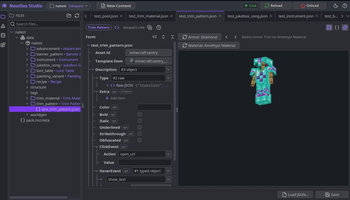
📖 About 📖 Nautilus Studio is an in-game data and resource pack workbench. Instead of hand-writing JSON and guessing at the right fields, it opens a full editor alongside the game: pick a file, fill in a generated form, hit reload, and the change appears in the running world. The forms are built automatically from the game's own content definitions, so it works with modded content as well as vanilla. 🖼️ Media 🖼️ 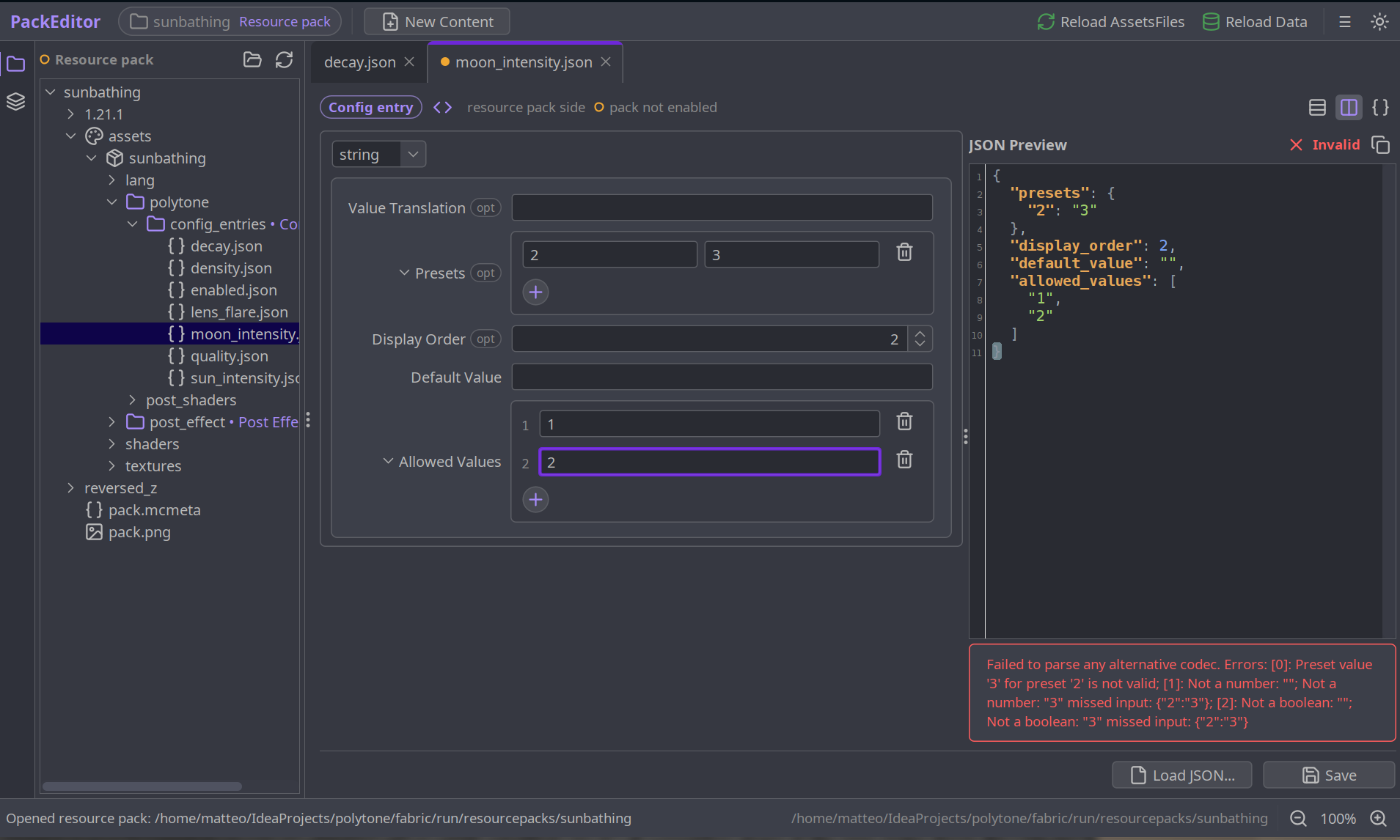 📦 Features 📦 ### What It Can Edit - **Worldgen**: configured and placed features, carvers, biomes, noise settings, density functions, world presets - **Structures**: structures, structure sets, jigsaw pools - **Loot and Predicates**: loot tables, item modifiers, predicates - **Recipes and Advancements** - **Enchantments** - **World and Dimension**: dimensions, dimension types - **Mob Variants**, **Decoration and Trims**, **Items and Sound**, and more - Anything a mod registers. [**Polytone**](https://modrinth.com/mod/polytone) registers its colormaps, particle effects and custom models, for example - Any custom codec, pointed at by class name, even for content the editor has never seen - Anything it cannot parse falls back to a live-validated raw JSON editor with syntax highlighting ### Using It - Join a world first: the editor needs live registries to build its forms and to reload - Open it from the **Mod Menu** entry on Fabric, or the config-screen button in the mods list on NeoForge - The workbench opens in its own window beside the game - Hit reload to push changes into the running world > Nautilus Studio runs best on **Fabric**. On NeoForge the editor window can occasionally fail to open, due to Java's headless-window restrictions. 🛠️ For Mod Developers 🛠️ For most things the mod should just work. However if you want proper compat here is what you can do: To register your codec so they appear by default in the editor you can register them like such: ```java NautilusStudioApi.register( "My Mod", // group name, shown next to "Minecraft" "Widget Layout", // this content type's label MY_CODEC, // your per-file Codec (the DIRECT_CODEC) Side.CLIENT_RESOURCES, // CLIENT_RESOURCES (assets/) or SERVER_DATA (data/) "mymod/widgets" // folder the files live in ); ``` To get nicer widgets, a color picker, a slider, a dropdown for a sum type, build your codec as a [**CodecUI**](https://github.com/MehVahdJukaar/codecui) `SchemaCodec` and pass that instead. It stays a real `Codec` with the same wire format. Anything CodecUI can't read falls back to a validated raw-JSON editor, so registering is always safe. Simply add these lines (jar-in-jar, so CodecUI ships inside your mod) and replace your `Codec` calls with `SchemaCodec` calls, following the API in that class: ```gradle repositories { maven { url "https://registry.somethingcatchy.net/repository/maven-public/" } } dependencies { // Fabric (Loom) modImplementation "net.mehvahdjukaar:codecui-fabric:1.21.11-0.4.0" include "net.mehvahdjukaar:codecui-fabric:1.21.11-0.4.0" // NeoForge (ModDevGradle) implementation "net.mehvahdjukaar:codecui-neoforge:1.21.11-0.4.0" jarJar "net.mehvahdjukaar:codecui-neoforge:1.21.11-0.4.0" } ``` See the [CodecUI repo](https://github.com/MehVahdJukaar/codecui) for the full DSL and examples. ❓ F.A.Q. ❓ **Q: Is this client-side only?** **A:** Yes. The editor is a client tool: it edits pack files on disk and reloads your client. You don't need it on a server. **Q: Do players need this to use my pack/mod?** **A:** No. Nautilus Studio is a *creation* tool. The packs you make with it are plain vanilla data/resource packs that work for everyone. **Q: Does it work with modded content?** **A:** Yes. Any mod that registers its codec (a one-liner, thanks to CodecUI) shows up automatically. You can also add custom codecs yourself by class name. **Q: What if Nautilus Studio doesn't understand a file?** **A:** It falls back to a live-validated raw JSON editor with syntax highlighting, so you can still edit anything. **Q: Do I need CodecUI as a dependency?** **A:** No. Nautilus Studio bundles it. You only touch CodecUI directly if you want to hand-tune your editor's widgets. **Q: Fabric or NeoForge?** **A:** Both are supported. Fabric is the smoother experience; on NeoForge the external window can occasionally hit AWT headless limitations. ❤️ Support Me ❤️ Modding takes a lot of my time. If you like what I do and want to support me, you'll receive a custom **Globe** and/or **Statue** just for you - this also applies if you buy a server from Akliz using the code below. Need a server? **Akliz** offers top-tier servers built for modded Minecraft, with a great community and support team. Use code **"supplementaries"** to get **20% off** and support me at the same time! 🦉 Our Mods 🦉
FreeMinecraftMods decision guide
This mod currently lists fabric, neoforge support. Confirm that the specific release you choose supports both your loader build and your Minecraft version.
The source record was updated on Sep 19, 2026, which is a recent freshness signal. A recent date does not guarantee support for every loader or Minecraft version, so still inspect the current file list.
What to verify before choosing a file
- Confirm that the file is published by the credited creator on the linked official source.
- Match the Minecraft version exactly instead of relying only on a broad category label.
- Read dependencies, incompatibilities, and changelog notes before updating an existing instance.
- Match the loader or server platform and its required version. Forge and NeoForge are not interchangeable.
- Back up worlds and configuration files before testing the project in a long-term save or public server.
Compatibility at a glance
Minecraft versions in this snapshot: 1.21.1, 1.21.11, 26.1.2, 26.2
Loaders and platforms: fabric, neoforge
Before you install
Match the exact Minecraft version and loader, install every required dependency, and test in a separate profile before opening an important world. Keep a backup before changing a working mod list.
Source, licensing, and corrections
FreeMinecraftMods does not mirror the project files. Use the official source for downloads, release notes, dependencies, support, and licensing details. Project names, images, and creator-written descriptions remain the property of their respective owners.
How listings are reviewed | Report incorrect project information | Rights-holder and DMCA information
This source record is available for discovery, but it does not yet contain enough verified description, classification, image, freshness, or compatibility information to be indexed as a full editorial page. It is therefore marked noindex and is not eligible for advertising.