

Resource Pack - Modrinth
Fresh Moves
This is EMF Player Animation resource pack. Gives fancy animations to the player entity. Compatible with animations from other mods. Like Quark's emotes, Parcool techniques and Not Enough Animations.
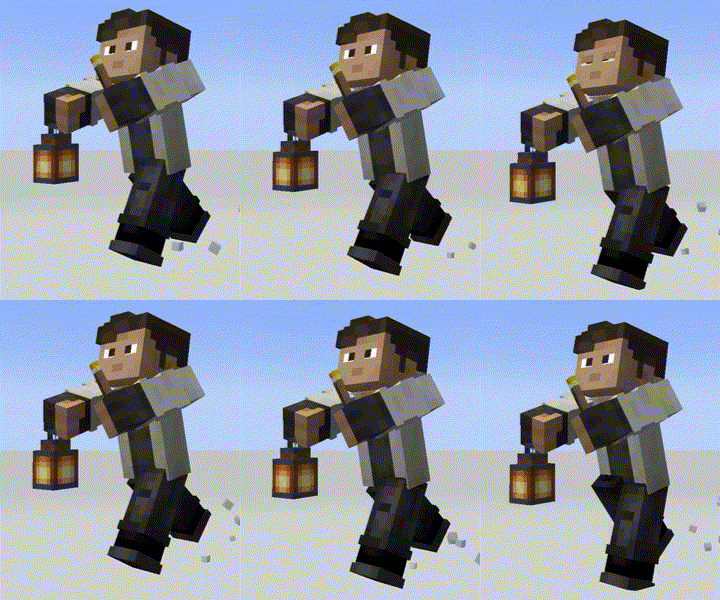
Source-provided project description. FreeMinecraftMods keeps creator credit and adds separate compatibility and decision guidance below.
Project overview
**You need the LATEST versions [Entity Model Features](https://www.curseforge.com/minecraft/mc-mods/entity-model-features) (+v2.0.2), [Entity Texture Features](https://www.curseforge.com/minecraft/mc-mods/entity-texture-features-fabric) (+v6.0.1) to use this pack. This are client-side mods that are available for both Forge and Fabric**  **OPTIFINE DOESN'T SUPPORT PLAYER CUSTOM MODELS ...yet, just in case** ----------------------------------------------------------------------------------------------- Be sure to use the right version of this pack (For Animated Eyes and Minecraft Version) 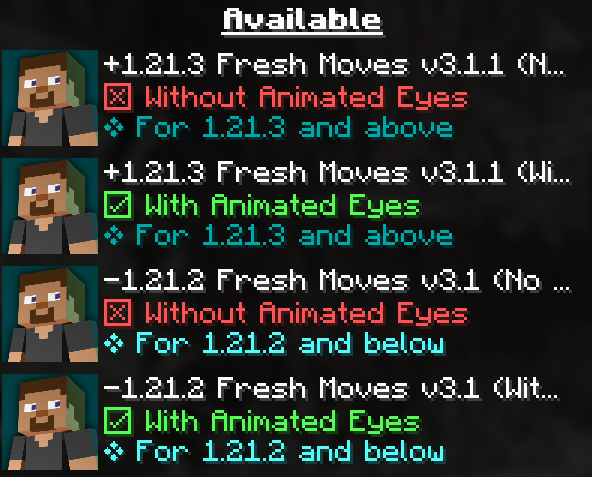 ----------------------------------------------------------------------------------------------- Check this tutorial and the new face feaures added in v3.0 in this made by Laynce. ----------------------------------------------------------------------------------------------- [To fix Black eyes follow this quick guide](https://github.com/IthanMendoza/Fresh-Moves/wiki/Fix-Black-Eyes) ↓. For a video demonstration go to this page in the wiki of the resourcepack. [Fix Black Eyes · IthanMendoza/Fresh-Moves Wiki (github.com)](https://github.com/IthanMendoza/Fresh-Moves/wiki/Fix-Black-Eyes) If you want your hand to stop moving in the first person perspective. [Go to this page in the wiki to disable it.](https://github.com/IthanMendoza/Fresh-Moves/wiki/Fix-Moving-1st-Person-Hand) [Fix Moving 1st Person Hand · IthanMendoza/Fresh-Moves Wiki (github.com)](https://github.com/IthanMendoza/Fresh-Moves/wiki/Fix-Moving-1st-Person-Hand) For this mod to work you have to activate this features in the EMF and ETF settings: Spoiler First go to resourcepacks 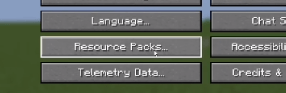 The click in this button (ETF and EMF settings) 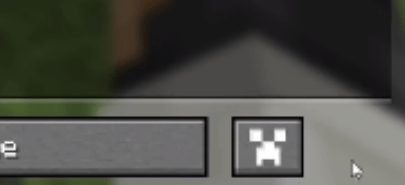 Click in textures 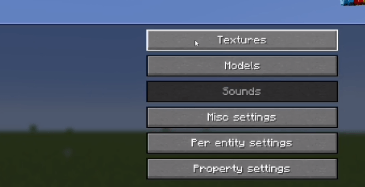 Click on player skin settings 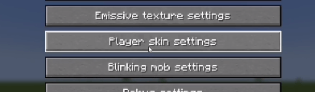 And activate the option that says "Allow skin transparency" and set it to "All skins" 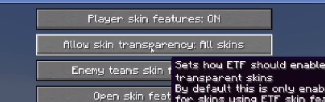 Go back to the mod settings and click on models 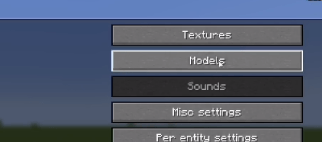 Go to Options and Fixes 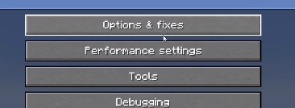 And finally set to On the option that says "Prevent first person hand animation" 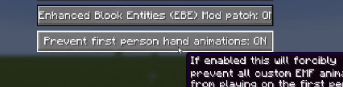 ----------------------------------------------------------------------------------------------- To animate the eyes go to the [Fresh Moves wiki](https://github.com/IthanMendoza/Fresh-Moves/wiki/Eyebrows). TLDR you must add extra pixels to your skin and upload that modified skin. [ The positions of those extra pixels are in the wiki](https://github.com/IthanMendoza/Fresh-Moves/wiki). All supported eyes are there. Here are some examples in real skins. 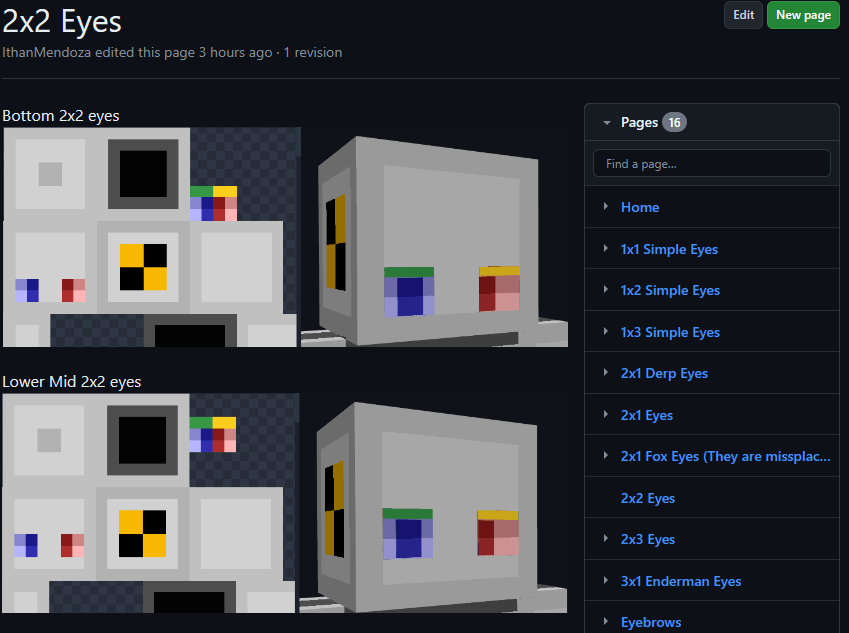 Here are some examples of things you must get in the end in your skin.png. This result must be used as your skin. If other people have these extra pixels on their skin, you will be able to see their animated eyes in multiplayer. 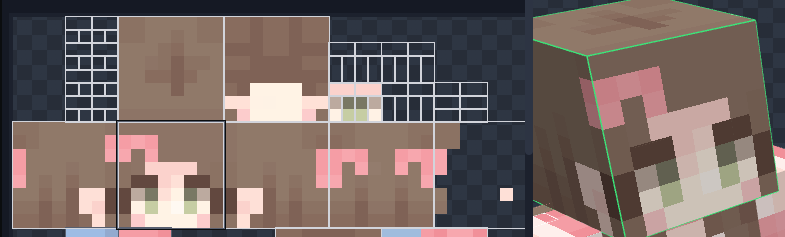 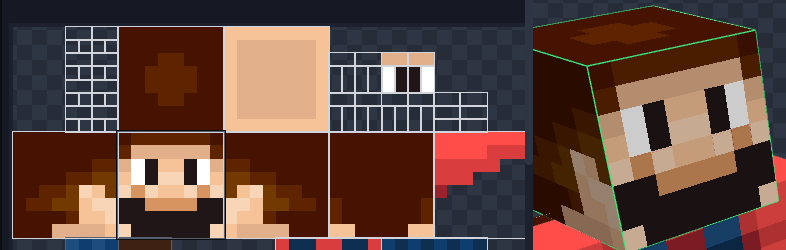 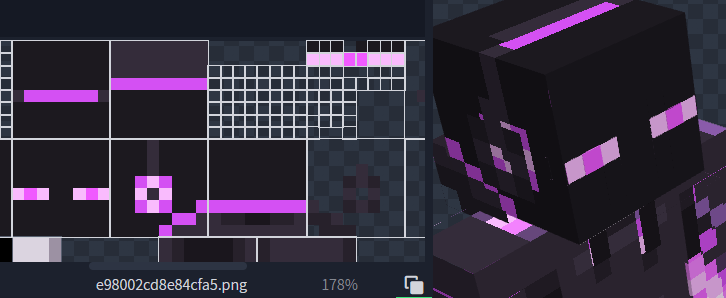 May look like there is some part missing the eyewhites but in game the eyewhites expand to their normal size. Notice that it has the eyebrows at the third position. The version of this pack with animated eyes (Expressive Fresh Moves.zip) will also have the extra pixels on the default Minecraft skins (Steve, Alex, Makena, Efe, Noor, Kai, Ari, Sunny, and Zuri) as an example. **** ----------------------------------------------------------------------------------------------- **Features in Fresh Moves:** -This resource pack overhauls the idle, walking and swimming animation and gives some othe details to the player. 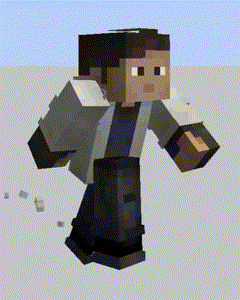 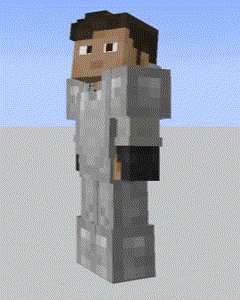 This resource pack has been made with special compatibility for [Parcool](https://www.curseforge.com/minecraft/mc-mods/parcool), [Quark's](https://www.curseforge.com/minecraft/mc-mods/quark) em
FreeMinecraftMods decision guide
This resource pack is most relevant to players looking for 16x, equipment, modded on minecraft. Treat those labels as discovery hints, then verify the exact file and dependency list on the official project page.
The latest stored update signal is Jan 20, 2025. Older projects can still work well, but they deserve extra compatibility testing before being added to a current world or public server.
What to verify before choosing a file
- Confirm that the file is published by the credited creator on the linked official source.
- Match the Minecraft version exactly instead of relying only on a broad category label.
- Read dependencies, incompatibilities, and changelog notes before updating an existing instance.
- Check pack order and test for model, font, language, and interface conflicts with other packs.
Compatibility at a glance
Minecraft versions in this snapshot: 1.18.2, 1.19, 1.19.1, 1.19.2, 1.19.3, 1.19.4, 1.20, 1.20.1, 1.20.2, 1.20.3, 1.20.4, 1.20.5
Loaders and platforms: minecraft
Before you install
Keep the original ZIP unless the creator says otherwise. Check pack order when multiple packs change the same textures, models, fonts, or interface files.
Source, licensing, and corrections
FreeMinecraftMods does not mirror the project files. Use the official source for downloads, release notes, dependencies, support, and licensing details. Project names, images, and creator-written descriptions remain the property of their respective owners.
How listings are reviewed | Report incorrect project information | Rights-holder and DMCA information