

Mod - Modrinth
OneBlock 1.21.11 (Mounts of Mayhem)
Since 2022 | OneBlock is a adventure map with alot of Fun. | 1.21.11 | Mounts of Mayhem is Live! | [Continuation of IJAMinecraft's Oneblock!] | {This is a Datapack of OneBlock Reborn Map.}
Source-provided project description. FreeMinecraftMods keeps creator credit and adds separate compatibility and decision guidance below.
Project overview
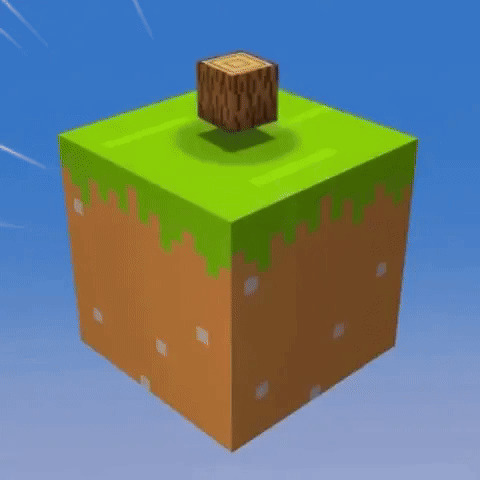
## Join my Discord Server to get Replies. ### Click here to Join Discord -> **[JOIN DISCORD](https://discord.gg/cJ3bs3XxHr)** [](https://discord.gg/cJ3bs3XxHr) # **OneBlock Reborn** OneBlock Reborn is a Adventure map, it is continuation of IJAMinecraft's OneBlock Map. in this map you will spawn on a single block that floats above the void. The Block is an infinite block and you passes through different phases based on different biomes. The map is full of adventure. Download OneBlock: https://www.curseforge.com/minecraft/worlds/oneblock-reborn Download Original (IJAMinecraft) : https://ijaminecraft.com/oneblock ## About : In this map you will spawn on a single block. This map contains 15 phases and each phase has a different and unique theme. You can also enter The Nether or The End. Blocks and Mobs spawns according to phases in this Map. Calcite and Tuff recipes are added to this map (See Images). OneBlock Reborn was previously OneBlock Classic. **Original Project can be found on [Curseforge](https://www.curseforge.com/minecraft/worlds/oneblock-reborn)** ## ! How to Install ! (Singleplayer) * Download the map and extract it using WinRAR or 7Z. * After extracting you will get a folder. * Now go to Minecraft and go to Create New World option. * After that click Datapack option and then click Open Pack Folder. * Now go to Minecraft and go to Create New World option. * After Coping come to Minecraft and Select the OneBlock Datapack and click Done . * Now go to More World Option and Set the World Type to Superflat. * After Selecting Superflat click on Customize and Remove Every Layer and click Done. * Now click Create new World. * That's it OneBlock is installed. * Now you can enjoy it in Minecraft. ## ! How to Install ! (Multiplayer) * Create the World By Folowing the Above Steps. * Now go to any server host and Uplode the World to the Server Host. * And you can Enjoy OneBlock in Multiplayer. ## Credit / Links [IJAMinecarft's Youtube Channel.](https://www.youtube.com/c/IJAMinecraft) [IJAMinecarft's OneBlock Project.](https://ijaminecraft.com/map/oneblock/)
FreeMinecraftMods decision guide
This mod is most relevant to players looking for adventure, game mechanics, minigame on datapack. Treat those labels as discovery hints, then verify the exact file and dependency list on the official project page.
The source record was updated on Dec 15, 2025. Check the changelog and file page to see whether that update applies to the version and loader you plan to use.
What to verify before choosing a file
- Confirm that the file is published by the credited creator on the linked official source.
- Match the Minecraft version exactly instead of relying only on a broad category label.
- Read dependencies, incompatibilities, and changelog notes before updating an existing instance.
- Match the loader or server platform and its required version. Forge and NeoForge are not interchangeable.
- Back up worlds and configuration files before testing the project in a long-term save or public server.
Compatibility at a glance
Minecraft versions in this snapshot: 1.19, 1.19.1, 1.19.2, 1.19.3, 1.21, 1.21.1, 1.21.2, 1.21.3, 1.21.4, 1.21.5, 1.21.6, 1.21.7
Loaders and platforms: datapack
Before you install
Match the exact Minecraft version and loader, install every required dependency, and test in a separate profile before opening an important world. Keep a backup before changing a working mod list.
Source, licensing, and corrections
FreeMinecraftMods does not mirror the project files. Use the official source for downloads, release notes, dependencies, support, and licensing details. Project names, images, and creator-written descriptions remain the property of their respective owners.
How listings are reviewed | Report incorrect project information | Rights-holder and DMCA information