

Mod - Modrinth
PlugTrace
Catch broken plugin updates, missing commands, dependency failures, and silent regressions before players do.
Source-provided project description. FreeMinecraftMods keeps creator credit and adds separate compatibility and decision guidance below.
Project overview
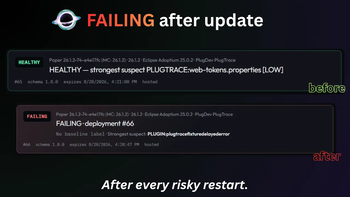
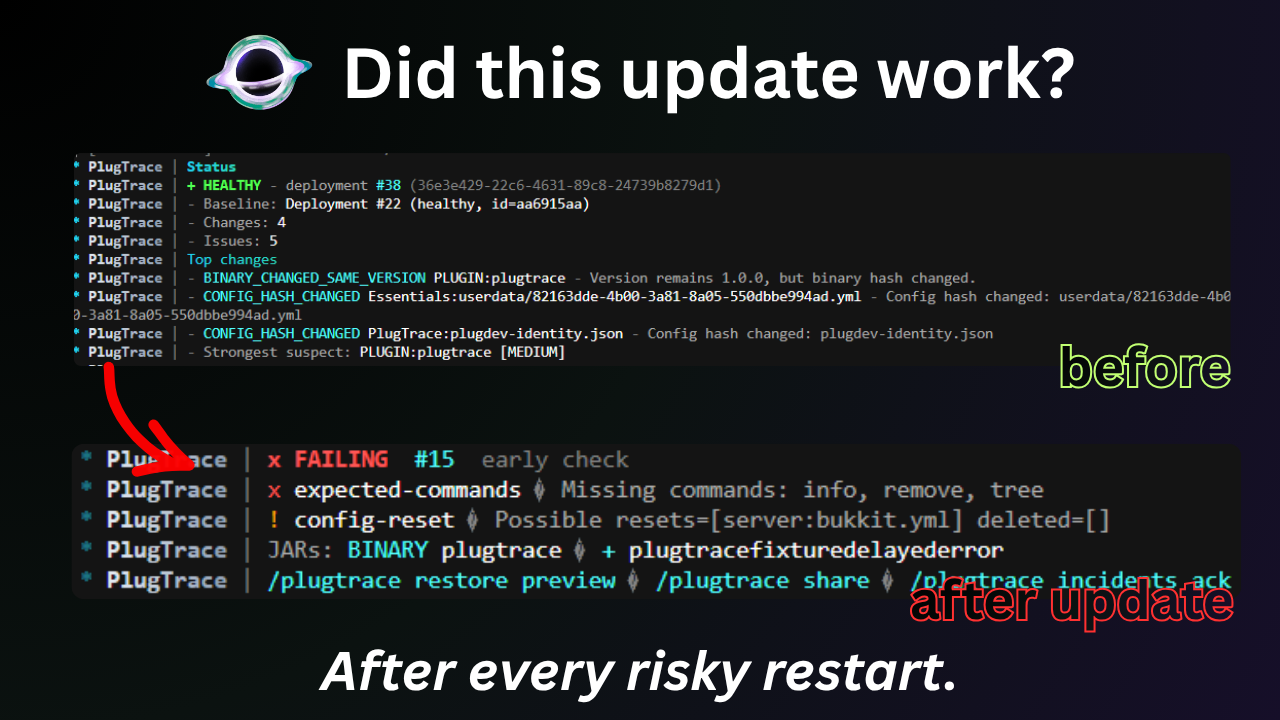 # 🔍 PlugTrace Most server updates don't fail in a dramatic way. The server starts, the console reaches `Done`, and everything looks normal until someone notices a command is missing, a plugin never enabled, a dependency broke, or a config got reset. PlugTrace is built for that exact situation. It keeps a history of deployments, watches the server after startup, compares the new state against a healthy one, and tells you whether the update actually held together. Instead of treating **"the process is still running"** as success, it checks the parts of the server you actually care about. A deployment can end up as `HEALTHY`, `DEGRADED`, `FAILING`, or `UNKNOWN`, with the evidence that led to that result. > ⚡ **spark is great for finding what is slow. PlugTrace is for finding what changed after an update.** --- ## 🎬 Demo `HEALTHY` → bad restart → `FAILING` → diff → share report. --- ## 🛡️ Baselines PlugTrace is most useful when you install it while the server is still healthy. Before a risky update, capture the state you want future deployments to be compared against: ```text /plugtrace selfcheck /plugtrace checkpoint /plugtrace expected capture /plugtrace mark healthy /plugtrace status ``` `expected capture` records things such as plugins, commands, worlds, and registered services that should still be there after the next restart. Once that's done, update your plugins, replace JARs, change configs, upgrade Paper, or do whatever maintenance you were going to do anyway. After the restart: ```text /plugtrace status ``` That's the normal workflow: **capture a healthy state → make the change → restart → check what actually happened.** 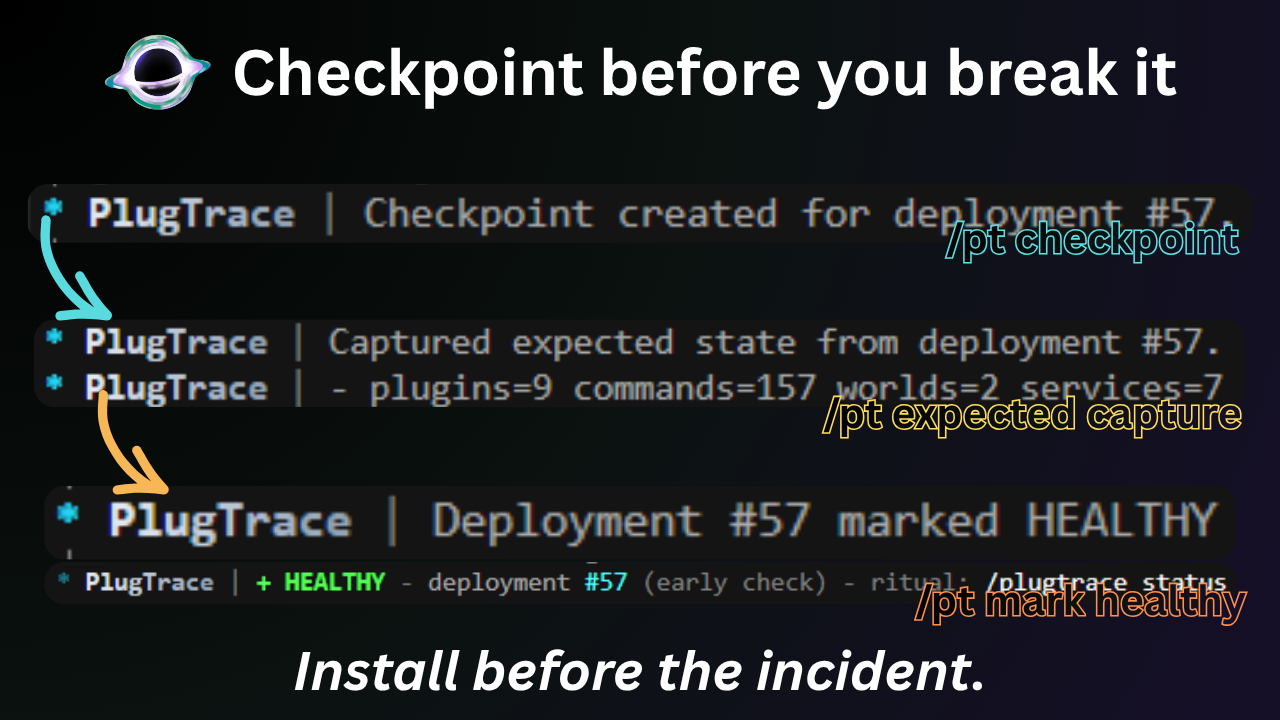 A PlugTrace checkpoint is a reference to a known-good deployment, **not a backup**. Keep normal backups for worlds, databases, configs, and anything else you cannot afford to lose. --- ## 🕵️ Detection PlugTrace is mainly interested in the failures that are easy to miss. Depending on what changed, it can surface things such as: - plugins disappearing, disabling, or failing to enable - commands that existed before the update going missing - missing worlds or registered services - broken or missing dependencies - plugin JARs being added, removed, or replaced - a JAR changing while keeping the same version number - config reset or deletion evidence - new severe startup issues - failures that appear during the post-start observation window It also keeps the useful context around the deployment: - failed checks - important JAR differences - changes from the healthy baseline - detected issues - incident history - the strongest suspect supported by the evidence That last part is intentionally conservative. PlugTrace isn't supposed to invent a root cause just because something looks suspicious. If the available evidence isn't strong enough, it can return `UNKNOWN` instead. 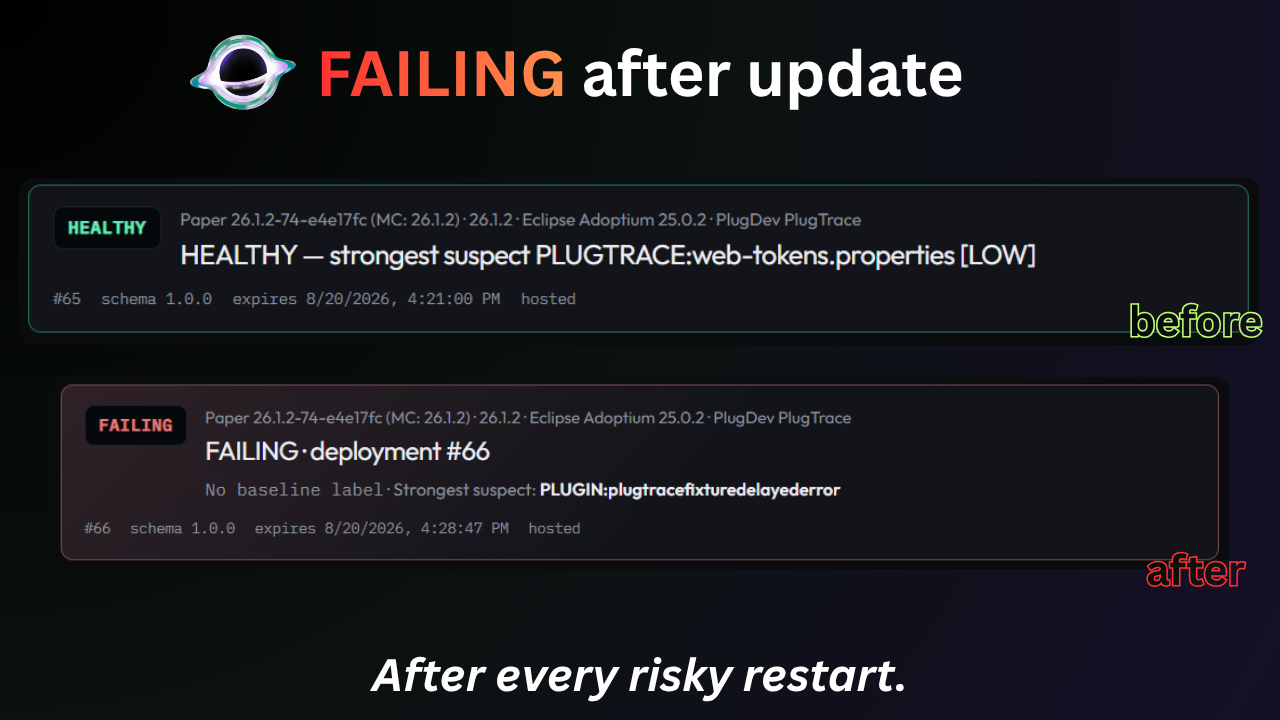 --- ## ⚡ Status For day-to-day use, `/plugtrace status` is the main command. ```text /plugtrace status ``` If you need to dig further: ```text /plugtrace diff /plugtrace issues /plugtrace incidents /plugtrace suspect /plugtrace deployments ``` PlugTrace also keeps observing the deployment for a configurable period after the server becomes ready. This matters because some problems don't happen during startup itself — they appear shortly afterward. While that observation is still running, the deployment is `OBSERVING`. Once it finishes, PlugTrace settles on one of these states: | State | Meaning | | --- | --- | | ✅ `HEALTHY` | Critical checks passed | | ⚠️ `DEGRADED` | Something regressed, but no critical check failed | | ❌ `FAILING` | One or more critical checks failed | | ❓ `UNKNOWN` | There isn't enough reliable evidence to make a confident call | --- ## 🔗 Sharing When you need help from another admin, a plugin developer, or a host, dumping the entire console usually isn't ideal. PlugTrace can build a report around the deployment instead, so the person looking at it gets the failed checks, relevant changes, incident evidence, and surrounding context in one place. Preview it first: ```text /plugtrace report preview ``` If you decide to share it: ```text /plugtrace share ``` That creates a hosted PlugTrace report link you can send through Discord, GitHub, or a support ticket. 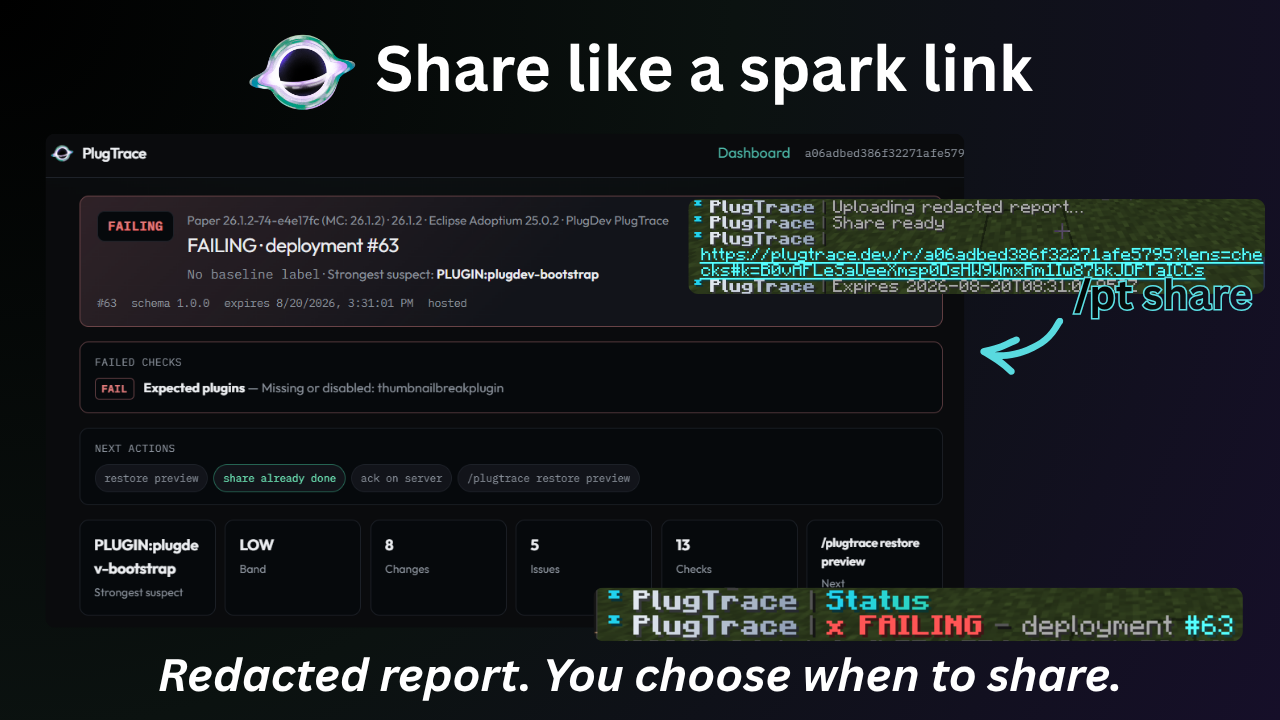 ### 🔐 Privacy Hosted reports are optional and **nothing is uploaded automatically**. Checkpoints, verification, deployment history, local reports, and the local dashboard stay on your server. A hosted report is uploaded only when an administrator explicitly runs: ```text /plugtrace sh
FreeMinecraftMods decision guide
This mod is most relevant to players looking for management, utility on bukkit, folia, paper, purpur. Treat those labels as discovery hints, then verify the exact file and dependency list on the official project page.
The source record was updated on Aug 16, 2026, which is a recent freshness signal. A recent date does not guarantee support for every loader or Minecraft version, so still inspect the current file list.
What to verify before choosing a file
- Confirm that the file is published by the credited creator on the linked official source.
- Match the Minecraft version exactly instead of relying only on a broad category label.
- Read dependencies, incompatibilities, and changelog notes before updating an existing instance.
- Match the loader or server platform and its required version. Forge and NeoForge are not interchangeable.
- Back up worlds and configuration files before testing the project in a long-term save or public server.
Compatibility at a glance
Minecraft versions in this snapshot: 1.20.3, 1.20.4, 1.20.5, 1.20.6, 1.21, 1.21.1, 1.21.2, 1.21.3, 1.21.4, 1.21.5, 1.21.6, 1.21.7
Loaders and platforms: bukkit, folia, paper, purpur, spigot
Before you install
Match the exact Minecraft version and loader, install every required dependency, and test in a separate profile before opening an important world. Keep a backup before changing a working mod list.
Source, licensing, and corrections
FreeMinecraftMods does not mirror the project files. Use the official source for downloads, release notes, dependencies, support, and licensing details. Project names, images, and creator-written descriptions remain the property of their respective owners.
How listings are reviewed | Report incorrect project information | Rights-holder and DMCA information
This source record is available for discovery, but it does not yet contain enough verified description, classification, image, freshness, or compatibility information to be indexed as a full editorial page. It is therefore marked noindex and is not eligible for advertising.