

Mod - Modrinth
Distraction Free Recipes (EMI / REI / JEI)
Automatically hides the recipe viewer when not searching.
Source-provided project description. FreeMinecraftMods keeps creator credit and adds separate compatibility and decision guidance below.
Project overview
 _Distraction Free Recipes_ is a simple mod that helps to declutter your inventory interface by automatically hiding that huge list of items if you're not actively searching for anything. Currently, it supports EMI, REI, and JEI fully. For new players who aren't used to modded Minecraft, opening your screen and being bombarded with hundreds of items filling up half the interface can be overwhelming, and often a surprisingly large barrier to entry. Given that it's not really necessary to view the entire item list all at once at all times, it makes sense to auto-hide the item list to help with accessibility for new players. There is also an additional option (default: off) to reduce the opacity of the somewhat ugly vanilla search box, which helps it blend in to the backgrund a little more, and an option to show a text saying "Search to View Recipes" to help confused players who may think JEI is missing. Also, while not usually very heavy on performance, rendering less things on screen is always better. Showcase in Prominence II RPG: 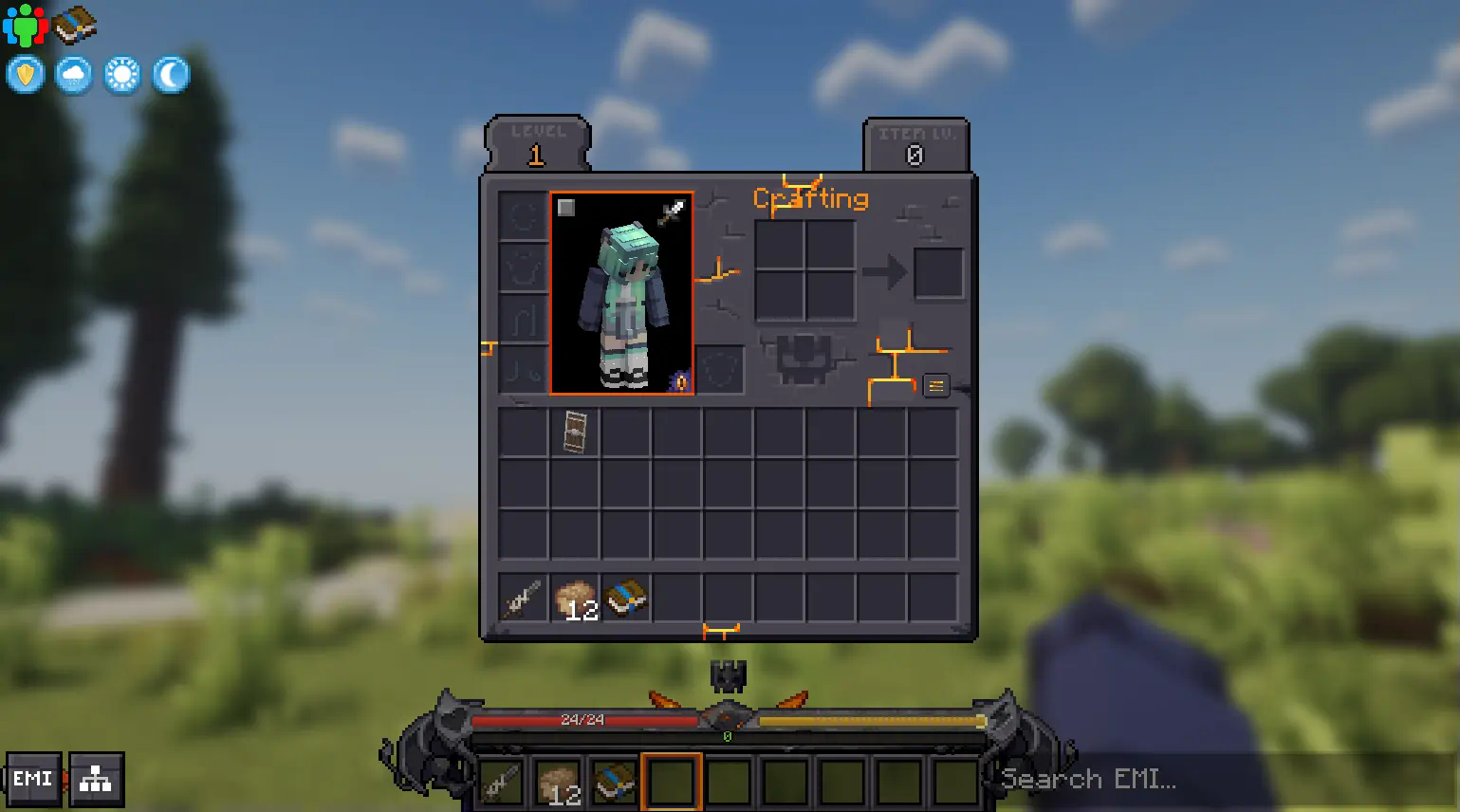 For the most immersive option, with EMI, you may also consider the following config options: - Distraction Free Recipes > Lower Opacity: True - EMI > Left Sidebar > Header: Invisible - EMI > Right Sidebar > Columns: 9 - EMI > Center Search Bar: False - EMI > Config and Recipe Tree Button: Hidden This allows you to hide all other UI elements while still maintaining favorites on the left side and the ability to search on the right side: 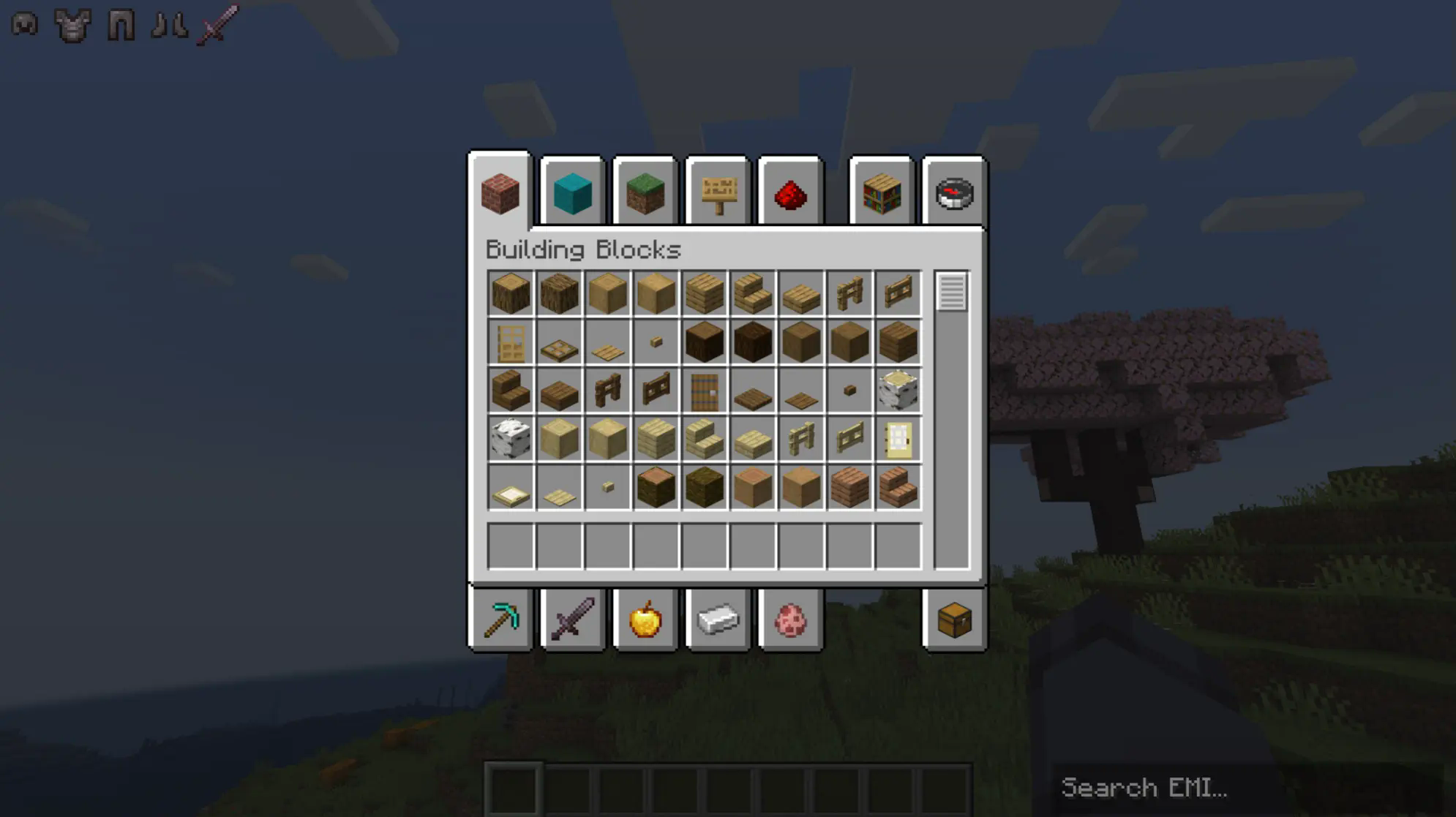 If you're concerned about players being confused, you can enable the help text option: 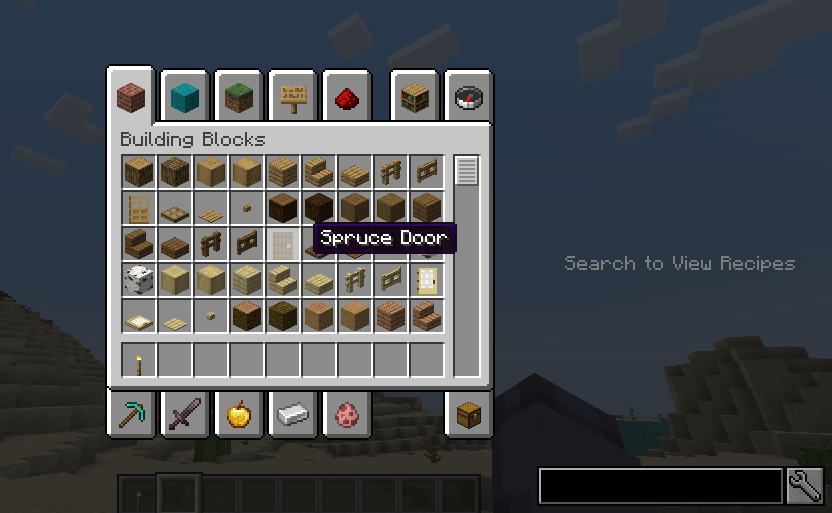
FreeMinecraftMods decision guide
This mod is most relevant to players looking for decoration, optimization, utility on fabric, forge, neoforge. Treat those labels as discovery hints, then verify the exact file and dependency list on the official project page.
The latest stored update signal is Jan 21, 2025. Older projects can still work well, but they deserve extra compatibility testing before being added to a current world or public server.
What to verify before choosing a file
- Confirm that the file is published by the credited creator on the linked official source.
- Match the Minecraft version exactly instead of relying only on a broad category label.
- Read dependencies, incompatibilities, and changelog notes before updating an existing instance.
- Match the loader or server platform and its required version. Forge and NeoForge are not interchangeable.
- Back up worlds and configuration files before testing the project in a long-term save or public server.
Compatibility at a glance
Minecraft versions in this snapshot: 1.20, 1.20.1, 1.21.1
Loaders and platforms: fabric, forge, neoforge
Before you install
Match the exact Minecraft version and loader, install every required dependency, and test in a separate profile before opening an important world. Keep a backup before changing a working mod list.
Source, licensing, and corrections
FreeMinecraftMods does not mirror the project files. Use the official source for downloads, release notes, dependencies, support, and licensing details. Project names, images, and creator-written descriptions remain the property of their respective owners.
How listings are reviewed | Report incorrect project information | Rights-holder and DMCA information
This source record is available for discovery, but it does not yet contain enough verified description, classification, image, freshness, or compatibility information to be indexed as a full editorial page. It is therefore marked noindex and is not eligible for advertising.