
Mod - Modrinth
Vein Mining
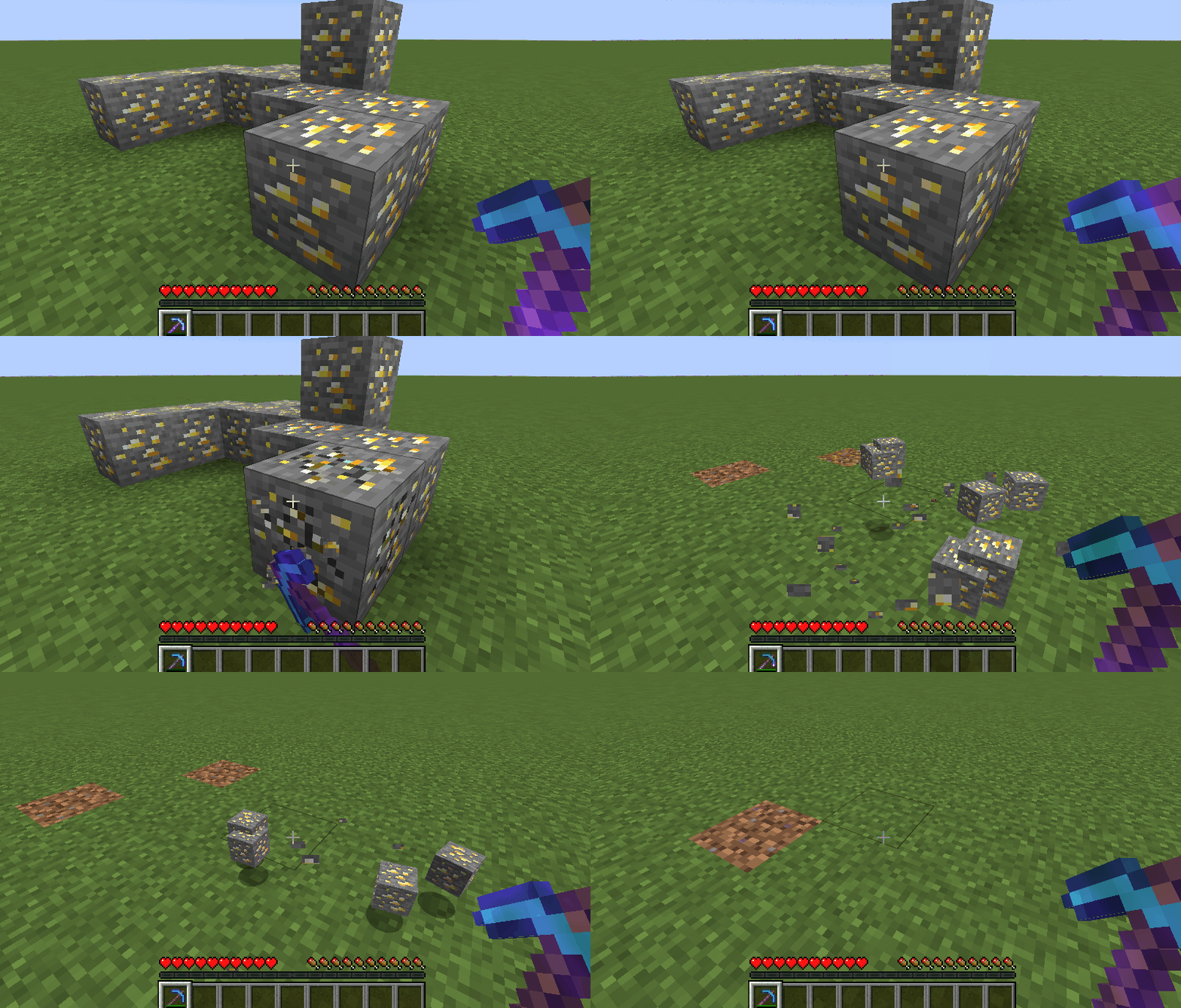
A lightweight, highly configurable Vein Mining enchantment for tools.
Source-provided project description. FreeMinecraftMods keeps creator credit and adds separate compatibility and decision guidance below.
Project overview
Vein Mining is a mod that adds the titular Vein Mining enchantment, which allows the enchanted tool to break matching connected blocks. The enchantment and mining logic are highly configurable, letting players and modpack developers find their preferred method of balance. Configuration options can be found in the `config` folder as `veinmining-client.toml`, `veinmining-server.toml`, and `veinmining-common.toml`. Please see the [wiki page](https://github.com/TheIllusiveC4/VeinMining/wiki/Configuration) for more configuration information. ## Features ### Enchantment  **Configuration Options** - Rarity - Max Level - Treasure - Randomly Enchantable - Available on Books - Base Enchanting Power - Enchanting Power per Level - Villager Trade - Lootable ### Vein Mining **Configuration Options** - Max Blocks Base (without enchantment) - Max Distance Base (without enchantment) - Max Blocks per Enchantment Level - Max Distance per Enchantment Level - Diagonal Mining - Relocate Drops - Limit Mining by Tool Durability - Prevent Tool Breaking - Tool Damage - Tool Damage Multiplier - Player Exhaustion - Player Exhaustion Multiplier - Activation Method (sneak, stand, or keybinding) - Blocks Whitelist/Blacklist - Custom Block Groups (Tags + IDs) ## Affiliates [](https://illusivesoulworks.com/affiliate)
FreeMinecraftMods decision guide
This mod is most relevant to players looking for equipment, magic on fabric, forge, neoforge, quilt. Treat those labels as discovery hints, then verify the exact file and dependency list on the official project page.
The latest stored update signal is Jul 30, 2024. Older projects can still work well, but they deserve extra compatibility testing before being added to a current world or public server.
What to verify before choosing a file
- Confirm that the file is published by the credited creator on the linked official source.
- Match the Minecraft version exactly instead of relying only on a broad category label.
- Read dependencies, incompatibilities, and changelog notes before updating an existing instance.
- Match the loader or server platform and its required version. Forge and NeoForge are not interchangeable.
- Back up worlds and configuration files before testing the project in a long-term save or public server.
Compatibility at a glance
Minecraft versions in this snapshot: 1.16.4, 1.16.5, 1.17, 1.17.1, 1.18.2, 1.19, 1.19.1, 1.19.2, 1.19.3, 1.19.4, 1.20, 1.20.1
Loaders and platforms: fabric, forge, neoforge, quilt
Before you install
Match the exact Minecraft version and loader, install every required dependency, and test in a separate profile before opening an important world. Keep a backup before changing a working mod list.
Source, licensing, and corrections
FreeMinecraftMods does not mirror the project files. Use the official source for downloads, release notes, dependencies, support, and licensing details. Project names, images, and creator-written descriptions remain the property of their respective owners.
How listings are reviewed | Report incorrect project information | Rights-holder and DMCA information
This source record is available for discovery, but it does not yet contain enough verified description, classification, image, freshness, or compatibility information to be indexed as a full editorial page. It is therefore marked noindex and is not eligible for advertising.