

Mod - Modrinth
Area Protection
Protect anything you wish easily in one single command
Source-provided project description. FreeMinecraftMods keeps creator credit and adds separate compatibility and decision guidance below.
Project overview
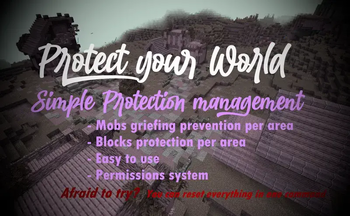
If you don't want to read all this, you can just go in game and do /function, the commands will automatically be highlighted # FAQ: Q: How to protect an area? A: With one command that you can find below. It will claim a 30 blocks radius area, and you can use the command as much as you want for each 30 blocks radius you want to claim! It can also easily be unclaimed. Q: How does the protection work, what does it protect? A: Once entering a protected area, mobs with griefable abilities will be killed (creeper, ravager, enderman, ender dragon, wither, phantom, warden) along with their loots. TNT & minecart tnt are disabled in a protected area. Armor stands, item frames & glowing item frames, painting, are automatically set to invincible in a protected area. They are switching back to destroyable once the area get unclaimed. Q: Will the datapack change something in my world if I install it? A: It will only change the gamerule sendCommandFeedback to false to prevent the spam of the gamemode change message in the chat. Nothing else is changed Q: If I uninstall the datapack, will the protections be gone? A: Yes, but they will be saved in case you reinstall the datapack later, unless you run /function area_protection:reset_all. Q: If I use this as a mod in singleplayer and then upload the world on my server, will the areas I protected still be protected? A: No, unless you install the datapack or the mod on the server! The datapack only uses tags, not teams, so if your world has teams enabled, the datapack is compatible with it. # How to use: Simply run the first command to protect an area! If you don't want to read all this, you can just go in game and do /function, the commands will automatically be highlighted /function area_protection:protect_this ----> Set a 30 blocks spherical protection around you. /function area_protection:reset_this -----> Remove the protection(s) applied at your position up to 40 blocks around you. /function area_protection:reset_all ------> Remove all the protections of your world (No undo). /function area_protection:view_protection_borders -----> Allows you to briefly see with particles the spherical protection of the area you are in. /function area_protection:get_admin_permission_level ----> Allows you to bypass protection. A message will notify you when you are in a protected area, and you will be set in creative mode when running the command. /function area_protection:get_player_permission_level ------> Reset your permission to default: You can't bypass protection Wish to give a player permission to build in every protected area, but not wanting to op him? Just do /execute as "name of the player" run function area_protection:get_admin_permission_level. He will be set in creative mode and will be able to build in every protected area.
FreeMinecraftMods decision guide
This mod is most relevant to players looking for utility on datapack, fabric, forge, neoforge. Treat those labels as discovery hints, then verify the exact file and dependency list on the official project page.
The source record was updated on Feb 2, 2026. Check the changelog and file page to see whether that update applies to the version and loader you plan to use.
What to verify before choosing a file
- Confirm that the file is published by the credited creator on the linked official source.
- Match the Minecraft version exactly instead of relying only on a broad category label.
- Read dependencies, incompatibilities, and changelog notes before updating an existing instance.
- Match the loader or server platform and its required version. Forge and NeoForge are not interchangeable.
- Back up worlds and configuration files before testing the project in a long-term save or public server.
Compatibility at a glance
Minecraft versions in this snapshot: 1.21, 1.21.1, 1.21.2, 1.21.3, 1.21.4, 1.21.5, 1.21.6, 1.21.7, 1.21.8, 1.21.9, 1.21.10, 1.21.11
Loaders and platforms: datapack, fabric, forge, neoforge, quilt
Before you install
Match the exact Minecraft version and loader, install every required dependency, and test in a separate profile before opening an important world. Keep a backup before changing a working mod list.
Source, licensing, and corrections
FreeMinecraftMods does not mirror the project files. Use the official source for downloads, release notes, dependencies, support, and licensing details. Project names, images, and creator-written descriptions remain the property of their respective owners.
How listings are reviewed | Report incorrect project information | Rights-holder and DMCA information
This source record is available for discovery, but it does not yet contain enough verified description, classification, image, freshness, or compatibility information to be indexed as a full editorial page. It is therefore marked noindex and is not eligible for advertising.