

Shader - Modrinth
Complementary Shaders - Reimagined
Preserving the elements of Minecraft with exceptional quality, detail, and performance.
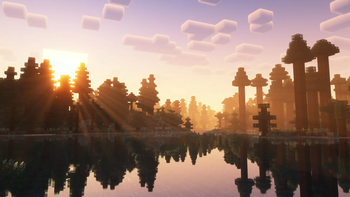
Source-provided project description. FreeMinecraftMods keeps creator credit and adds separate compatibility and decision guidance below.
Project overview
[](https://patreon.com/emingt) ### About Complementary Shaders is a shader pack for Minecraft Java Edition with exceptional attention to detail, high standards of quality, and top tier optimisation. It offers a ton of high quality effects, two default visual style choices, custom effects for almost every block in the game, profiles ranging from Potato to Ultra and it's designed to never be obstructive during gameplay. It started as an edit of BSL Shaders in 2018, and it received countless major updates including a complete rewrite to meet the standards of our community. Complementary Shaders is dedicated to be shaped by user feedback over anything else, and it still receives regular updates to this day. "Reimagined" is one of the two default styles Complementary Shaders r5 comes with. It focuses on preserving the unique visual elements of Minecraft and providing a reworked vanilla feel. [**Learn more about the two styles here.**](https://www.complementary.dev/shaders/#style-section) ### Choose Your Style Complementary Shaders comes with two distinct visual style options. The only difference between these two styles is the default settings. The Unbound style is designed for people looking for a more realistic experience, while the Reimagined style is made to reimagine Minecraft while preserving its unique visual elements. Please note that you can still customize everything after you download either style. You can switch to blocky clouds on the Unbound style, or use realistic water on the Reimagined style. All settings are located in Shader Options. -------------------- [**Unbound Style**](https://modrinth.com/shader/complementary-unbound) ---------------------------------------- [**Reimagined Style**](https://modrinth.com/shader/complementary-reimagined) -------------------- 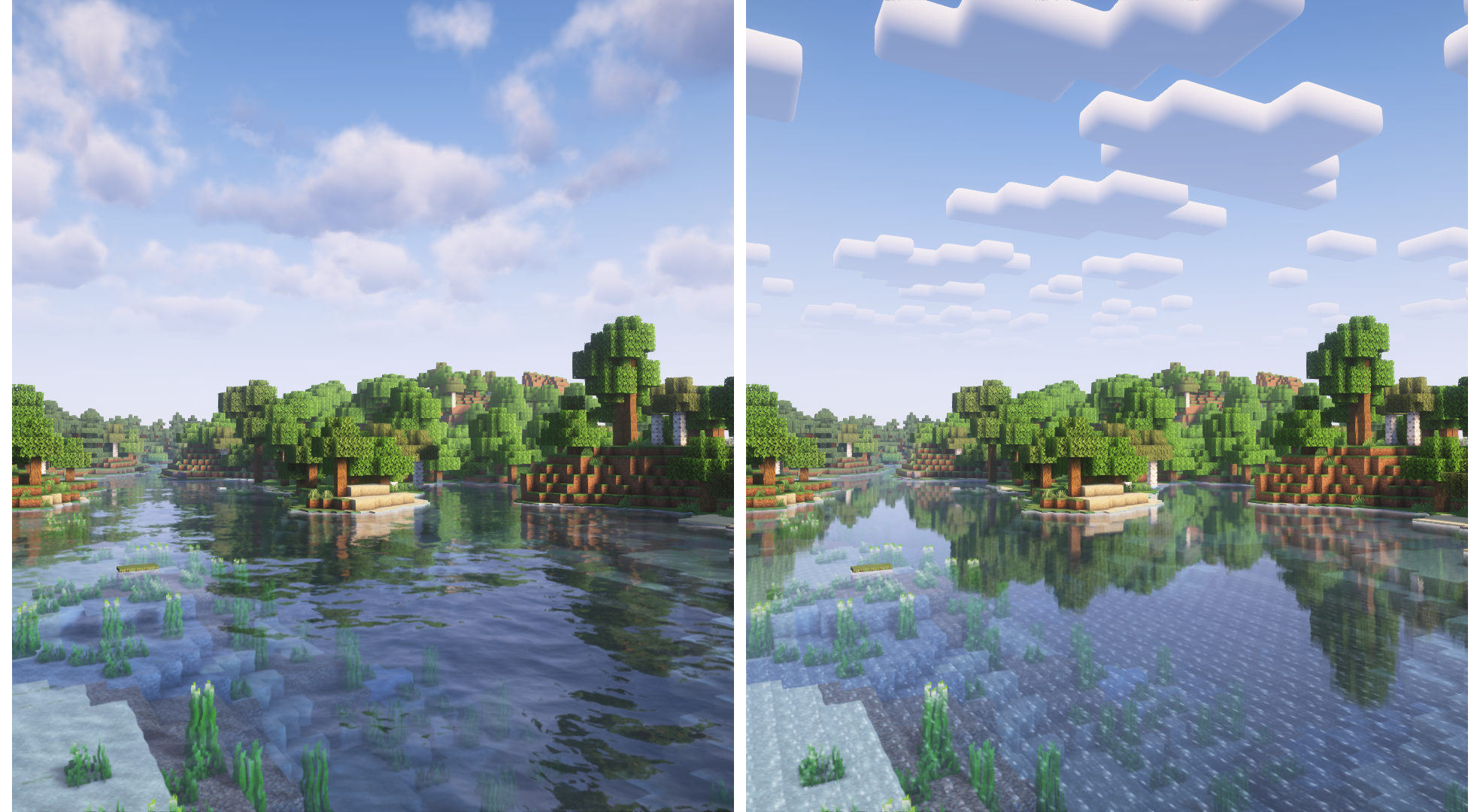 ### Installation **New:** You can just download the [**Complementary Installer**](https://www.complementary.dev/shaders/#download-section) and click Install to automatically do all the steps below. **-** First you need to install the [**Iris**](https://irisshaders.dev/download) mod to be able to load shaderpacks. **-** Then you need to launch the game, and get to the Shaderpacks/Shaders menu in Video Settings. **-** Open the shaderpacks folder by clicking the button in the menu. **-** Download Complementary Shaders and put it in the shaderpacks folder. (Please don't unzip the file) **-** Get back in the game, and choose Complementary in the shaderpacks menu. (Refresh the menu if it doesn't appear) ### Other **-** Check out the [**Complementary Development Website**](https://www.complementary.dev/) for more information. **-** Join the [**Complementary Discord**](https://discord.gg/ck5htDSQPv) community if you have any questions, or just want to talk. **-** If you would like to support the development of Complementary, you can do so on [**Patreon**](https://www.patreon.com/emingt).
FreeMinecraftMods decision guide
This shader is most relevant to players looking for colored lighting, vanilla like on iris, optifine. Treat those labels as discovery hints, then verify the exact file and dependency list on the official project page.
The source record was updated on Sep 15, 2026, which is a recent freshness signal. A recent date does not guarantee support for every loader or Minecraft version, so still inspect the current file list.
What to verify before choosing a file
- Confirm that the file is published by the credited creator on the linked official source.
- Match the Minecraft version exactly instead of relying only on a broad category label.
- Read dependencies, incompatibilities, and changelog notes before updating an existing instance.
- Match the loader or server platform and its required version. Forge and NeoForge are not interchangeable.
Compatibility at a glance
Minecraft versions in this snapshot: 1.20.4, 1.20.5, 1.20.6, 1.21, 1.21.1, 1.21.2, 1.21.3, 1.21.4, 1.21.5, 1.21.6, 1.21.7, 1.21.8
Loaders and platforms: iris, optifine
Before you install
Confirm the required shader loader and test a conservative preset before increasing shadows, reflections, render distance, or volumetric effects. Compare frame pacing as well as average FPS.
Source, licensing, and corrections
FreeMinecraftMods does not mirror the project files. Use the official source for downloads, release notes, dependencies, support, and licensing details. Project names, images, and creator-written descriptions remain the property of their respective owners.
How listings are reviewed | Report incorrect project information | Rights-holder and DMCA information
This source record is available for discovery, but it does not yet contain enough verified description, classification, image, freshness, or compatibility information to be indexed as a full editorial page. It is therefore marked noindex and is not eligible for advertising.