

Mod - Modrinth
Custom Biome Saplings
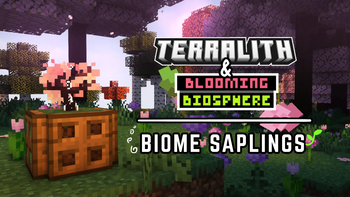
Allows Terralith and Blooming Biosphere trees to be regrown using vanilla saplings
Source-provided project description. FreeMinecraftMods keeps creator credit and adds separate compatibility and decision guidance below.
Project overview
# About Allows you to regrow custom trees from [Terralith](https://www.stardustlabs.net/terralith) and [Blooming Biosphere](https://modrinth.com/datapack/blooming-biosphere) by using vanilla saplings placed in a custom biome. The sapling used for that custom tree is based on the leaves/log of the custom tree you are growing. White effect particles when placed indicate that you have placed a custom tree. **Growing Vanilla Trees:** Crouch/Sneak while placing a sapling in a custom biome to make it grow into a vanilla tree rather than a custom one. ## Projects Check out Terralith Here: [https://modrinth.com/datapack/terralith](https://modrinth.com/datapack/terralith) Check out Blooming Biosphere Here: [https://modrinth.com/datapack/blooming-biosphere](https://modrinth.com/datapack/blooming-biosphere) Note that these two projects are currently not compatible, so you cant use them together. When using one or the other, checks for biome saplings for the unused project won't be run. # License Stardust Labs/Terralith License: [click here](https://github.com/Stardust-Labs-MC/license/blob/main/license.txt) Splatus Projects License: [click here](https://github.com/SpluoSplatus/Vanilla-Refresh/wiki/License) In summary, just dont republish this project or send modified copies to other people. You may modify it in singleplayer or in your own server. You are free to add this to modpacks as well. ***  Join the Discord Server to chat, discuss, and get help with my mods! https://discord.gg/XZVARKkjwt  Help support the making of my datapacks with memberships or donations on Ko-fi! https://ko-fi.com/limesplatus/tiers
FreeMinecraftMods decision guide
This mod is most relevant to players looking for decoration, game mechanics, utility on datapack, fabric, forge, neoforge. Treat those labels as discovery hints, then verify the exact file and dependency list on the official project page.
The source record was updated on Oct 19, 2025. Check the changelog and file page to see whether that update applies to the version and loader you plan to use.
What to verify before choosing a file
- Confirm that the file is published by the credited creator on the linked official source.
- Match the Minecraft version exactly instead of relying only on a broad category label.
- Read dependencies, incompatibilities, and changelog notes before updating an existing instance.
- Match the loader or server platform and its required version. Forge and NeoForge are not interchangeable.
- Back up worlds and configuration files before testing the project in a long-term save or public server.
Compatibility at a glance
Minecraft versions in this snapshot: 1.20, 1.20.1, 1.20.2, 1.20.3, 1.20.4, 1.21, 1.21.1, 1.21.2, 1.21.3, 1.21.4, 1.21.5, 1.21.6
Loaders and platforms: datapack, fabric, forge, neoforge, quilt
Before you install
Match the exact Minecraft version and loader, install every required dependency, and test in a separate profile before opening an important world. Keep a backup before changing a working mod list.
Source, licensing, and corrections
FreeMinecraftMods does not mirror the project files. Use the official source for downloads, release notes, dependencies, support, and licensing details. Project names, images, and creator-written descriptions remain the property of their respective owners.
How listings are reviewed | Report incorrect project information | Rights-holder and DMCA information
This source record is available for discovery, but it does not yet contain enough verified description, classification, image, freshness, or compatibility information to be indexed as a full editorial page. It is therefore marked noindex and is not eligible for advertising.