

Mod - Modrinth
Simple Voice Chat
A working voice chat in Minecraft!
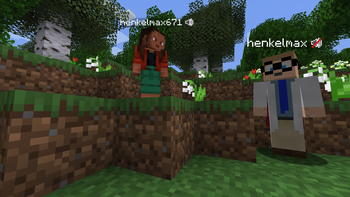
Source-provided project description. FreeMinecraftMods keeps creator credit and adds separate compatibility and decision guidance below.
Project overview
[Modrinth](https://modrinth.com/mod/simple-voice-chat) | [CurseForge](https://legacy.curseforge.com/minecraft/mc-mods/simple-voice-chat) | [Discord](https://discord.gg/4dH2zwTmyX) | [Wiki](https://modrepo.de/minecraft/voicechat/wiki) | [FAQ](https://modrepo.de/minecraft/voicechat/faq) | [Credits](https://modrepo.de/minecraft/voicechat/credits) | [API](https://modrepo.de/minecraft/voicechat/api) # Simple Voice Chat A proximity voice chat for Minecraft with a variety of [addons](https://modrepo.de/minecraft/voicechat/addons) that offer additional features and functionalities. ⚠️ **NOTE** This mod requires special setup on the server in order to work. Please read the [wiki](https://modrepo.de/minecraft/voicechat/wiki/setup) for more information. Please join the Discord if you have questions! ## Downloads - [Fabric](https://modrinth.com/mod/simple-voice-chat/versions?l=fabric) - [NeoForge](https://modrinth.com/mod/simple-voice-chat/versions?l=neoforge) - [Forge](https://modrinth.com/mod/simple-voice-chat/versions?l=forge) - [Bukkit/Spigot/Paper](https://modrinth.com/plugin/simple-voice-chat/versions?l=bukkit) - [Quilt](https://modrinth.com/mod/simple-voice-chat/versions?l=quilt) - [Velocity](https://modrinth.com/mod/simple-voice-chat/versions?l=velocity) - [BungeeCord/Waterfall](https://modrinth.com/mod/simple-voice-chat/versions?l=bungeecord) ## Features - Push to talk - Voice activation - Proximity voice chat - Password protected groups - Automatic voice activity detection - Automatic microphone gain adjustment - [Opus codec](https://opus-codec.org/) - [RNNoise](https://jmvalin.ca/demo/rnnoise/) recurrent neural network noise suppression - OpenAL audio - Cross compatibility between Fabric, NeoForge, Forge, Quilt, Bukkit, Spigot and Paper - Support for Velocity, BungeeCord and Waterfall - Compatibility with [ModMenu](https://modrinth.com/mod/modmenu) (Use [ClothConfig](https://modrinth.com/mod/cloth-config) for a better configuration UI) - Configurable push to talk key - Microphone and speaker test playback - Configurable voice distance - Whispering - Individual player volume adjustment - Microphone amplification - 3D sound - AES encryption - Audio recording with separate audio tracks - A powerful [API](https://modrepo.de/minecraft/voicechat/api) - Many [addons](https://modrepo.de/minecraft/voicechat/addons) ## Icons | Icon | Description | |:------------------------------------:|-------------------------------------------------------| |  | You are talking | |  | You are whispering | |  | Player is talking | |  | Player is whispering | |  | Microphone muted | |  | Voice chat disabled | |  | Voice chat not connected Voice chat not installed | ## The GUI You can open the voice chat GUI by pressing the `V` key. This allows you to open the settings, group chats, mute yourself, disable the voice chat, start/stop a recording and hide all icons. 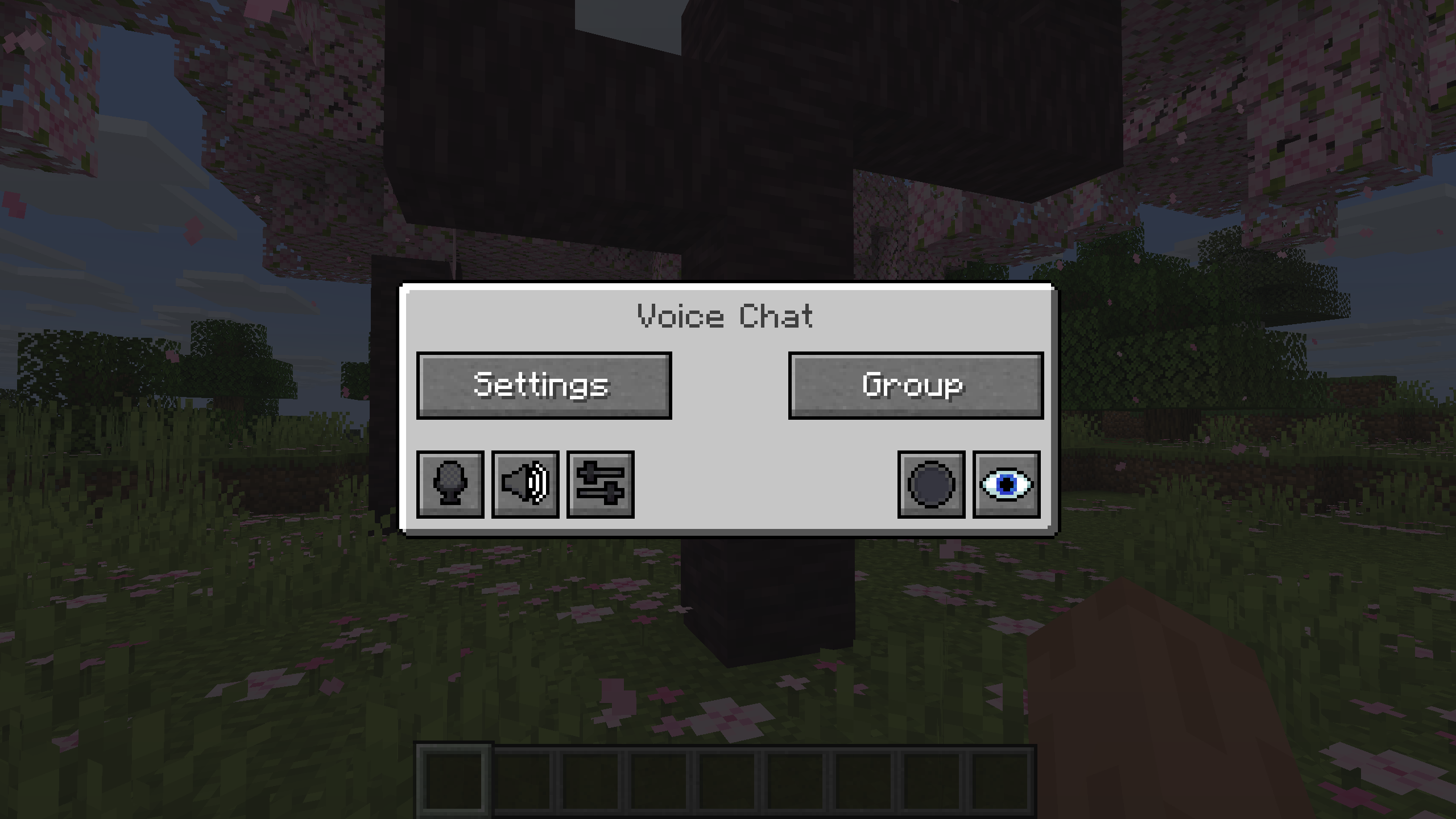 ### Group Chats Group chats allow you to talk to players that are not in your vicinity. To open the group chat interface, either press the group button in the voice chat GUI or just press the group key. To create a new group, just type a name in the text field and press the button at the bottom. 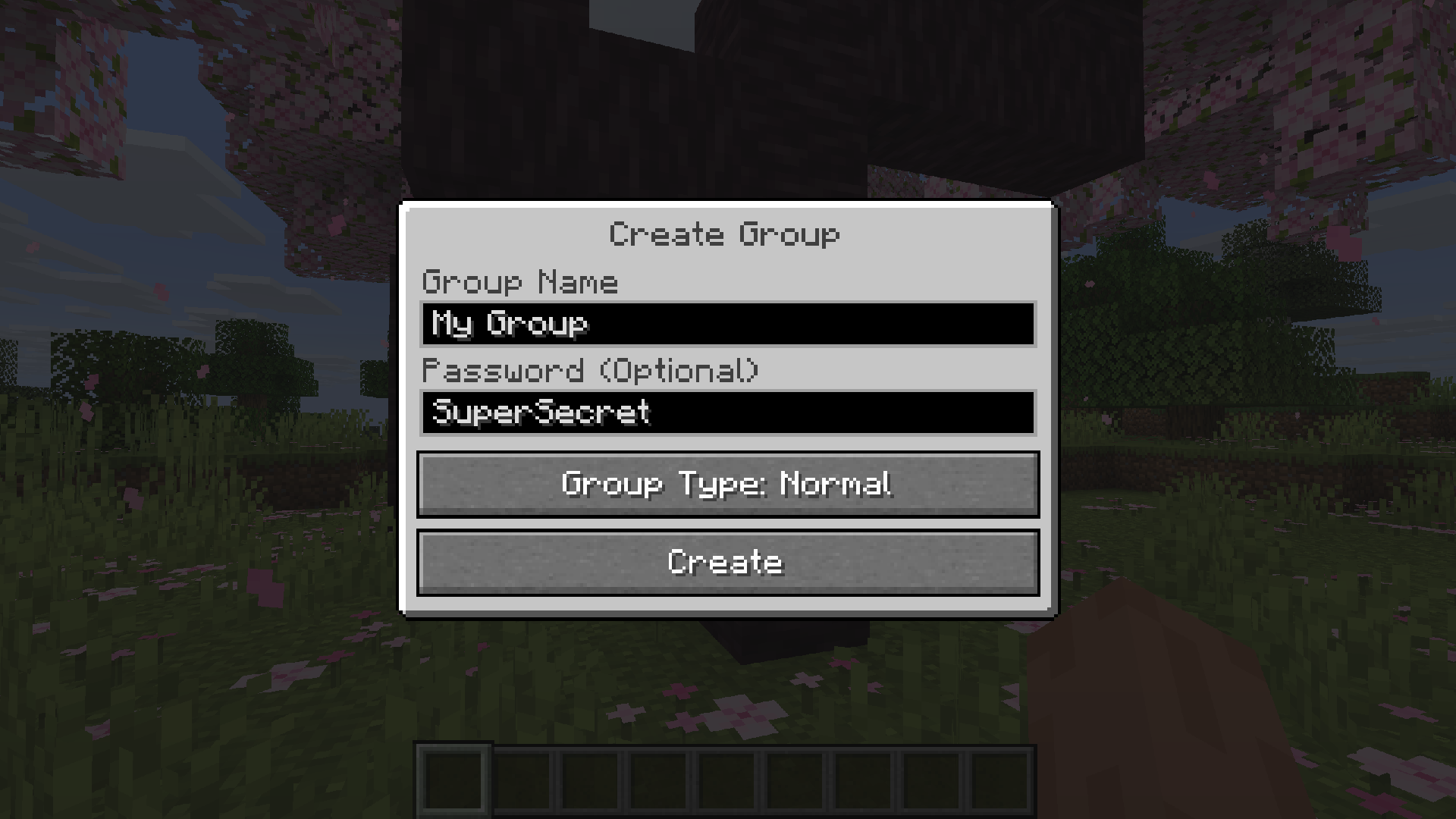 Creating or joining a group will bring you into the group chat interface. You will also see the heads of the group members in the top left corner of your screen. Talking players will be outlined. You can disable these icons by pressing the third button from the left. 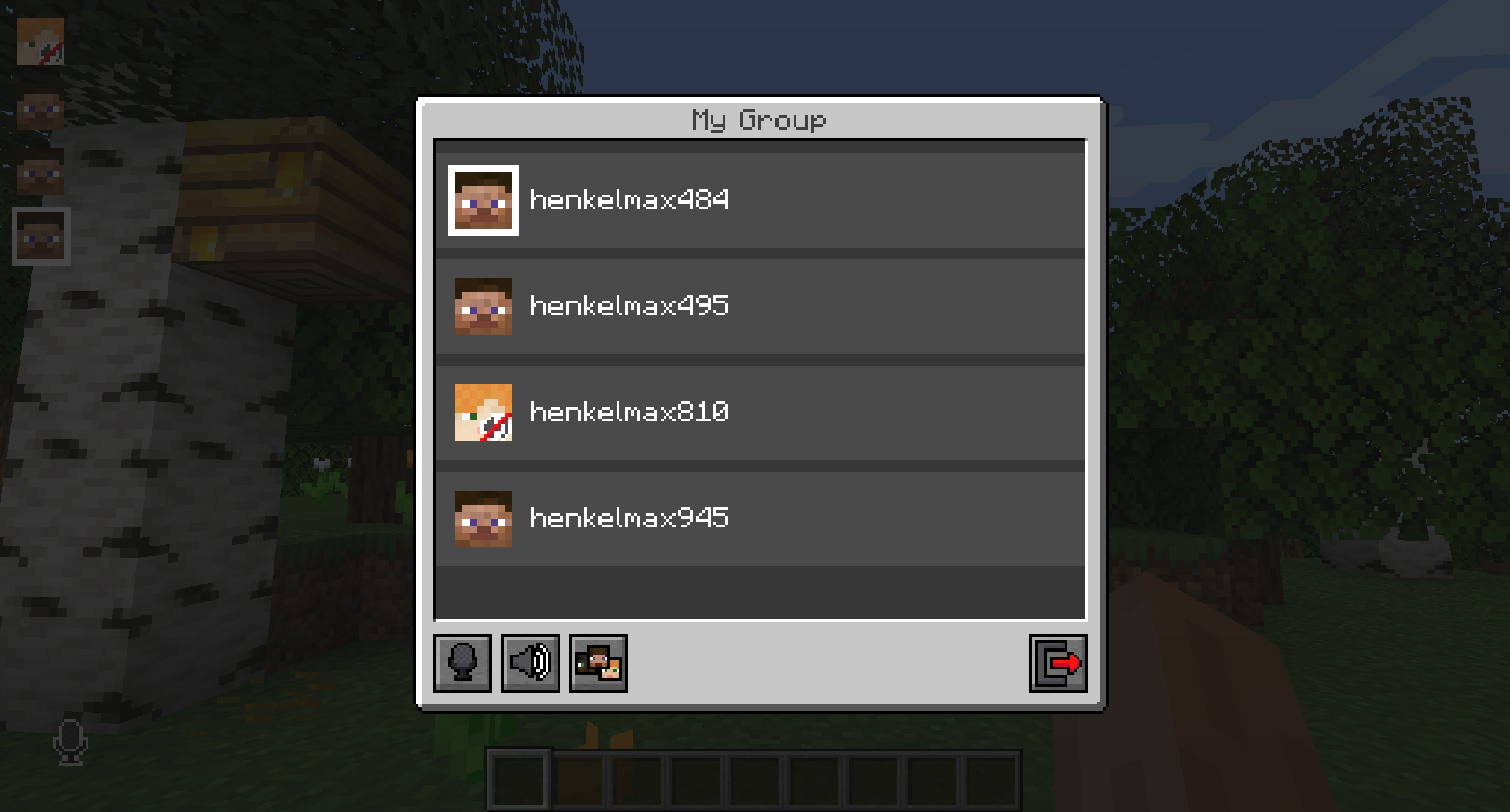 Players that are not in a group will see a group icon next to your head, indicating that you are in a group. You can invite players to your group chat by entering the command `/voicechat invite ` or from the social interactions screen. ### Settings You can access the voice chat settings by pressing the `V` key and pressing the settings button. This menu offers the ability to set up your voice chat audio settings. By clicking the microphone button, you can test your microphone activation. 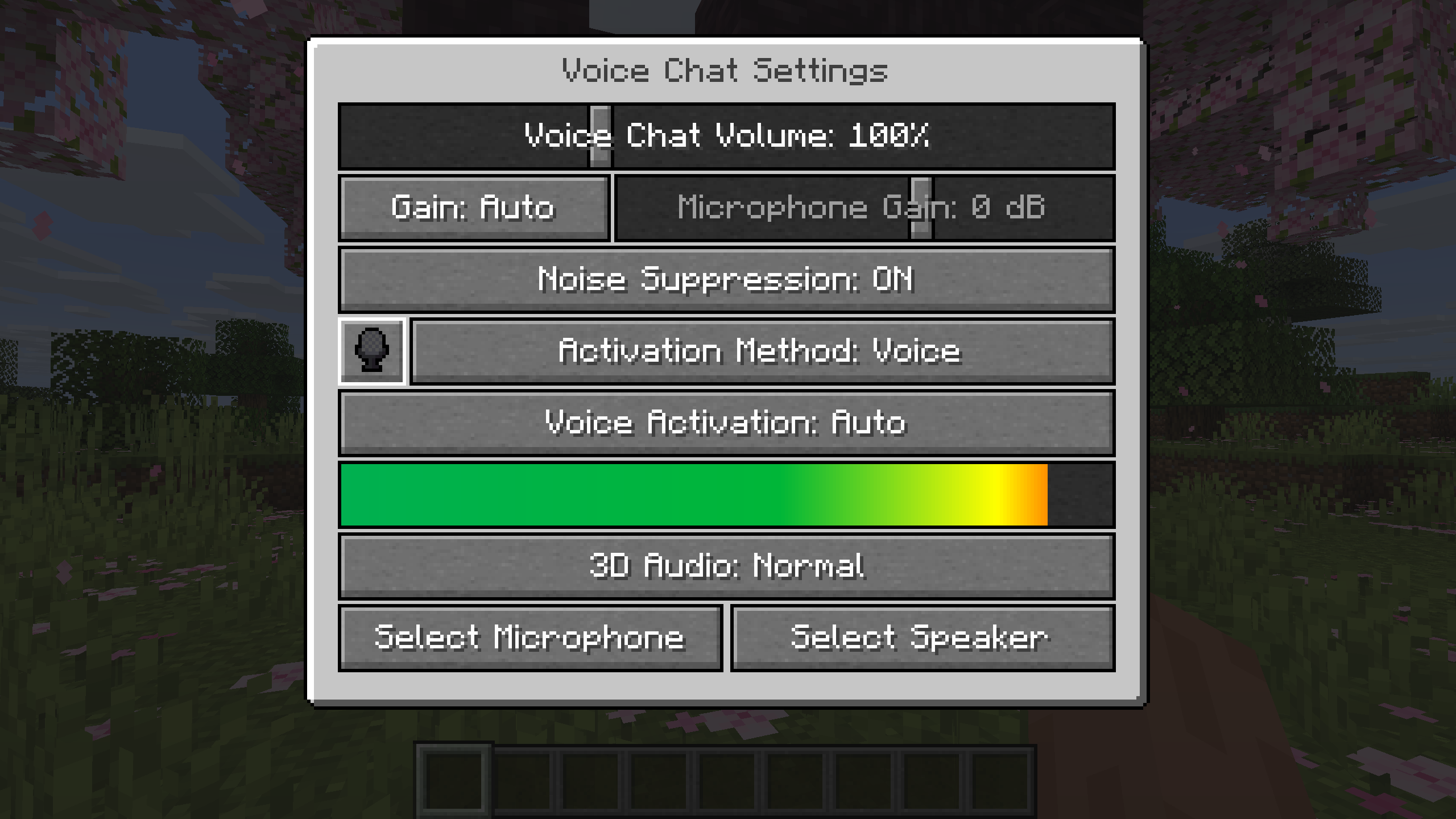 ## Important Notes You need to open a port on the server. This is port `24454` `UDP` by default. Without opening this port, the voice chat will not work. This port can be changed in the server config. More information [
FreeMinecraftMods decision guide
This mod is most relevant to players looking for adventure, social, utility on bukkit, bungeecord, fabric, folia. Treat those labels as discovery hints, then verify the exact file and dependency list on the official project page.
The source record was updated on Sep 23, 2026, which is a recent freshness signal. A recent date does not guarantee support for every loader or Minecraft version, so still inspect the current file list.
What to verify before choosing a file
- Confirm that the file is published by the credited creator on the linked official source.
- Match the Minecraft version exactly instead of relying only on a broad category label.
- Read dependencies, incompatibilities, and changelog notes before updating an existing instance.
- Match the loader or server platform and its required version. Forge and NeoForge are not interchangeable.
- Back up worlds and configuration files before testing the project in a long-term save or public server.
Compatibility at a glance
Minecraft versions in this snapshot: 26.2-rc-2, 26.2, 26.3-snapshot-1, 26.3-snapshot-2, 26.3-snapshot-3, 26.3-snapshot-4, 26.3-snapshot-5, 26.3-snapshot-6, 26.3-snapshot-7, 26.3-snapshot-8, 26.3-snapshot-9, 26.3-snapshot-10
Loaders and platforms: bukkit, bungeecord, fabric, folia, forge, neoforge, paper, purpur
Before you install
Match the exact Minecraft version and loader, install every required dependency, and test in a separate profile before opening an important world. Keep a backup before changing a working mod list.
Source, licensing, and corrections
FreeMinecraftMods does not mirror the project files. Use the official source for downloads, release notes, dependencies, support, and licensing details. Project names, images, and creator-written descriptions remain the property of their respective owners.
How listings are reviewed | Report incorrect project information | Rights-holder and DMCA information
This source record is available for discovery, but it does not yet contain enough verified description, classification, image, freshness, or compatibility information to be indexed as a full editorial page. It is therefore marked noindex and is not eligible for advertising.